
Airbnb Search Impressions Dropped Overnight: 7 Causes to Check Before Blaming the Algorithm
Did your Airbnb search impressions suddenly fall? Learn how to distinguish a real visibility problem from temporary data fluctuations, blocked dates, seasonal demand, pricing changes, and listing-quality issues before making costly changes.
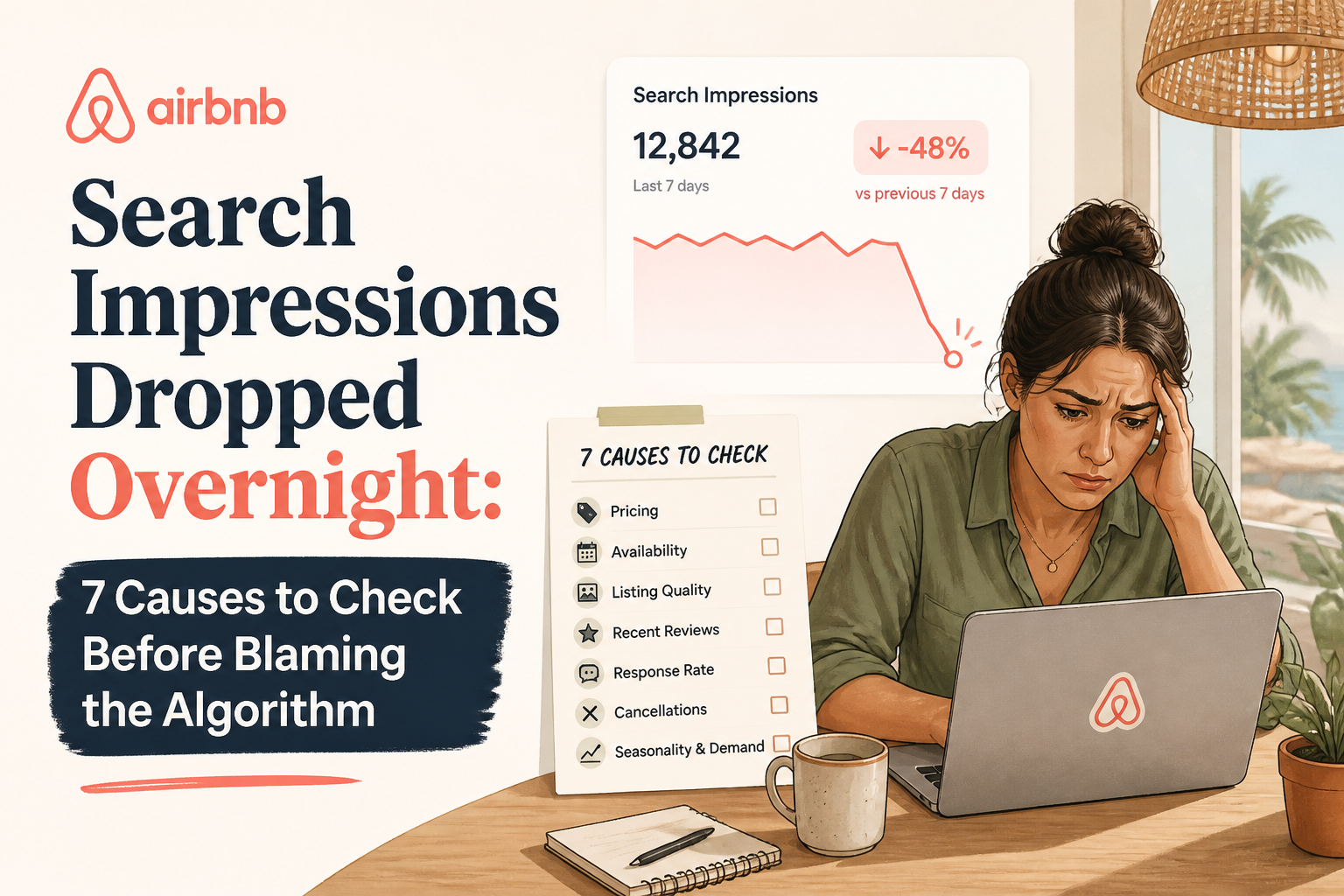
You open Airbnb Insights and notice something alarming: your search impressions have fallen sharply. Yesterday, your listing appeared to be getting attention. Today, the number looks dramatically lower. Your first thought might be that Airbnb changed its algorithm or penalized your property.
But a sudden decline in Airbnb search impressions does not automatically mean your listing has been penalized or pushed down in search. It may reflect a reporting-period difference, reduced demand, blocked dates, restrictive booking settings, pricing competition, or changes in how your listing qualifies for guest searches. Airbnb's search system also evaluates quality, popularity, price, location, and guest preferences. A change in search exposure can therefore have several possible explanations.
I'm Elie Parienti, founder of SuperhostSEO and author of The Airbnb Optimization Playbook. When I investigate a visibility problem, I start with a principle I emphasize throughout the book: identify what changed before deciding what to fix. This guide focuses specifically on search impressions, not general listing views or booking conversion. I'll show you seven causes worth checking, how to investigate each one, and when an actual listing optimization may help.
First, Understand What Airbnb Search Impressions Measure
Before looking for a cause, it's important to understand the metric. Airbnb's professional hosting tools include conversion reporting that describes three stages of the guest journey.
- First-page search impressions: The guest encounters your listing in search, under Airbnb's reporting definitions.
- Search-to-listing conversion: The guest clicks through to your full listing page.
- Listing-to-booking conversion: The guest proceeds to book the accommodation.
Airbnb explains these stages in its official guide to understanding conversion performance. This matters because hosts sometimes use the words impressions, views, and ranking as though they mean the same thing. They don't.
Impressions Are Not the Same as Listing Views
Search impressions concern exposure within search results. Listing views concern visits to the property page. If your search impressions decline, you should investigate why your property may be receiving less exposure.
If impressions remain reasonably stable while listing views decline, the more relevant question may be why fewer guests are choosing to open the property. Those different patterns deserve different investigations.
Impressions Are Not Your Exact Ranking Position
A listing can appear in a search without occupying one fixed position for every guest. Airbnb considers search criteria, availability, filters, and personalized preferences when producing results. A decline in impressions doesn't tell you that your listing fell from position five to position thirty.
It tells you that the reported search exposure changed. You need more information before concluding why.
Where to Find the Data
If you use Airbnb's professional hosting tools, go to:
Insights → Performance → Conversion
Review the available first-page search impression and conversion information for your listing. If you don't see the Performance section, you may need to enable professional hosting tools.
Airbnb provides the relevant instructions in its conversion reporting documentation. Now let's investigate the seven causes.
1. You're Comparing Different Reporting Windows or Too Little Data
Before assuming Airbnb reduced your visibility, verify that you're comparing equivalent periods. A one-day decline can look dramatic without establishing a sustained problem. This is especially important for listings that receive relatively few search impressions.
Example: A Small Sample Creates a Big Percentage Change
Imagine your listing receives 80 first-page search impressions on Monday and 28 on Tuesday. That's a 65% decline. The percentage sounds severe.
But you don't yet know whether the difference reflects a typical fluctuation, a change in guest search activity, a reporting issue, or a genuine shift in exposure. Now suppose the following week returns to your usual range. The original one-day comparison was a warning worth checking, not proof of a lasting problem.
Compare Equivalent Time Periods
Where the reporting options allow it, I recommend reviewing:
- The latest seven complete days against a comparable previous period
- The latest 28 or 30 days against the preceding equivalent period
- A similar seasonal period from the previous year, when relevant data exists
Be careful not to compare a partially completed day with a full day, or a partial week with seven complete days. Also check whether you're viewing one property or an aggregated report covering multiple listings.
Check Whether Other Metrics Changed Too
Look at listing views and available conversion reporting. If impressions show a dramatic decline while listing views remain reasonably steady, that deserves closer investigation before you assume guests suddenly stopped finding the property. The two numbers use different definitions, so they won't always move together.
What I Would Do
Record the apparent decline and verify the dates, filters, and listing selected in Insights. If the number is unusually low for a single day, check whether the pattern continues through comparable reporting periods.
If the decline persists, move through the remaining checks. Don't rewrite a functioning listing based solely on one alarming daily number.
2. Fewer Guests Are Searching for Trips Your Property Can Accommodate
Sometimes the issue isn't your listing. It's the market.
Search demand changes with seasons, holidays, local events, school calendars, and the types of trips travelers are planning. If fewer people are searching for accommodation in your area, your property's reported search exposure may decline even without a significant change in listing quality.
Example: A Beach House After Peak Season
Imagine a beachfront vacation rental that attracts families during school holidays. During the summer booking period, demand is strong. After the peak season, fewer travelers may be searching for the same type of accommodation.
The host sees lower impressions and worries that Airbnb's algorithm has changed. But the decline may reflect normal seasonal demand. Now imagine a different situation: the property's impressions decline sharply while comparable accommodations seem to remain competitive.
That is a stronger reason to investigate a property-specific problem. Neither observation establishes the cause automatically.
Look Beyond Your Own Listing
Airbnb's professional performance tools provide certain comparisons with similar listings. Where those comparisons are available, use them to establish context.
Airbnb also offers information about booking lead time, which can help you understand when guests are making reservations relative to check-in. See Airbnb's performance reporting guide.
Compare Similar Types of Demand
A cabin attracting winter travelers may behave differently from a city apartment. A seven-bedroom vacation house may receive searches from families planning far in advance. A small studio may attract shorter stays booked closer to arrival.
The relevant question is not simply whether your destination is busy. It's whether the types of trips your property can accommodate are currently in demand.
What I Would Do
Check whether the decline coincides with a seasonal transition or major change in local travel demand. Compare appropriate historical periods and similar properties where possible.
If demand appears weaker across the market, don't automatically respond with a full listing rewrite. A pricing or availability review may be useful, but every change should still make sense financially.
3. Your Calendar Has Fewer Bookable Dates Than You Realize
Availability is one of the clearest areas to investigate when Airbnb search impressions decline. Airbnb states that offering more available dates can increase the likelihood that a listing matches guest searches. But the calendar can become more restrictive without a host deliberately deciding to reduce visibility.
Example: An Imported Calendar Block
Suppose you advertise the same property on Airbnb and Vrbo. You have connected the two calendars. A date becomes blocked through the other platform, or a synchronization issue affects availability.
Your Airbnb calendar now offers fewer bookable nights. Guests searching for the affected periods may no longer find an eligible stay. You might notice lower impressions even though your photographs, title, reviews, and description are unchanged.
Check More Than Confirmed Reservations
Airbnb's guide to blocked calendar nights explains that dates can be blocked for several reasons. Review:
- Confirmed reservations
- Pending reservation requests
- Canceled or expired requests
- Imported calendar blocks
- Preparation-time buffers
- Availability settings
- Connected property management software
- Account or verification issues
If a date is blocked, Airbnb may show the reason when you select it in the hosting calendar.
Check Your Listing Status
Also confirm that the property remains published and that Airbnb hasn't asked for important account or listing information. A listing-status or verification problem is different from an ordinary ranking decline.
Airbnb explains that missing required information can affect calendar availability. If you have received a notice from Airbnb, review that before experimenting with content changes.
What I Would Do
Choose representative future dates that guests typically book. Check whether those dates are genuinely available for the relevant length of stay. Then inspect any unexpected blocks and identify their source.
If an operational or technical error is reducing availability, address that first. No title rewrite can make blocked dates bookable.
4. Minimum Stays, Booking Windows, or Advance Notice Are Excluding Searches
A calendar can appear mostly open while its booking rules prevent many common trips. This is especially important for hosts who change their settings seasonally. You may have plenty of open nights but too few eligible combinations of check-in date, checkout date, and stay length.
Example: Raising Your Minimum Stay
Imagine your apartment previously accepted two-night reservations. You change the minimum stay to four nights. Now consider a guest searching for a weekend trip.
Your listing may no longer qualify for that two-night reservation. If shorter stays represent a meaningful portion of demand in your market, the rule may reduce the number of searches your property can match.
That does not mean Airbnb penalized you for changing the setting. It means your booking requirements no longer match those particular trips.
Check Date-Specific Rules
Airbnb supports custom minimum-night rules based on check-in day. Professional hosting tools may also allow rule-sets that override standard minimum-night settings. For example, your normal minimum may be two nights, while a seasonal rule-set requires five.
Review the actual rules applying to the affected dates. See Airbnb's guide to setting minimum and maximum nights.
Check Your Booking Window
Suppose a family is planning a holiday ten months from now. Your listing's calendar accepts reservations only six months ahead. The property may not qualify for their desired stay.
Airbnb allows hosts to configure booking availability several months into the future, including options up to 24 months. See Choose How Far in Advance Guests Can Book. A longer booking window can create more potential opportunities, but only if it works with your operating plans.
Check Advance Notice and Preparation Time
A listing requiring several days' advance notice may not accommodate last-minute searches. Preparation buffers can also make nights around existing reservations unavailable. These restrictions may be appropriate for your cleaning team or property management arrangements.
The goal is not to remove every restriction. It's to confirm that each setting is intentional and aligned with the guests you want to attract.
What I Would Do
Test the same property using different stay lengths while keeping the other search criteria as consistent as possible. Check:
- Two-night stays
- Four-night stays
- Seven-night stays
- Arrivals on different days
- Last-minute arrivals
- Reservations farther into the future
Record which searches your property can accommodate. For the full testing workflow, see Airbnb Listing Not Showing for Certain Dates? How to Test Search Filters and Booking Restrictions.
5. Your Total Price Is Less Competitive for the Dates Guests Are Searching
Price affects more than the decision to book. Airbnb identifies price competitiveness as an important factor in how listings appear in search results. Its system considers total pricing and how a property compares with similar accommodation for the relevant dates.
That means a substantial price change can be relevant when investigating search exposure. However, the relationship isn't simple enough to say that a specific increase will cause a predictable number of lost impressions.
Example: A Price Increase With No Change in Presentation
Imagine two comparable vacation homes.
Property A
- Three bedrooms
- Sleeps six
- Total guest price for the weekend: $940
Property B
- Three bedrooms
- Sleeps six
- Total guest price for the weekend: $760
Property A costs $180 more. That premium may be justified by better amenities, a superior location, or more space. But if the extra value isn't apparent, Property A may be less attractive to guests comparing options.
Airbnb's search system also considers price competitiveness. This makes pricing worth investigating when exposure declines after a substantial increase.
Compare the Same Trip
Don't compare your nightly rate against a competitor's advertised starting price. Use:
- The same check-in and checkout dates
- The same guest count
- Comparable location and capacity
- Similar accommodation quality
- The relevant total guest-facing price
Include applicable fees and discounts when evaluating the final cost.
Check for Accidental Pricing Changes
Review whether you recently changed:
- Base nightly prices
- Weekend premiums
- Cleaning fees
- Extra-guest fees
- Date-specific overrides
- Weekly or monthly discounts
- Automated pricing settings
A pricing adjustment may have affected more dates than intended.
Should You Lower Your Price?
Not automatically. A higher-priced property may offer meaningful advantages. Reducing prices can increase competitiveness, but it can also reduce profitability without guaranteeing more bookings.
In The Airbnb Optimization Playbook, I recommend evaluating pricing alongside booking pace, market conditions, and the property's genuine value. If your decline began after a price increase, see Airbnb Views but No Bookings After a Price Increase? Nine Things to Check.
What I Would Do
Compare representative total prices with genuinely similar properties. Check whether your rate change coincided with the impression decline, while remembering that timing alone doesn't establish causation. Make targeted adjustments only when the evidence and your operating costs justify them.
6. Search Filters or Listing Details No Longer Match Guest Searches
Guests don't all search Airbnb the same way. Some look for an entire home. Others filter for pet-friendly accommodation, a pool, free parking, a dedicated workspace, or a specific booking option.
Airbnb's search system uses these criteria to help match travelers with relevant listings. A property may be present in general results but absent from searches using a particular filter.
Example: An Amenity Exists but Isn't Selected
Imagine a vacation home with a private hot tub. The photographs show the hot tub. The description mentions it.
But the structured amenity field is not selected. A guest using a hot-tub filter may not find your property as expected. The description alone isn't a substitute for correctly completing Airbnb's amenity fields.
Verify Structured Listing Information
Review:
- Property type
- Entire place versus private room
- Maximum guest capacity
- Bedrooms and beds
- Pet policy
- Important amenities
- Accessibility features
- Booking options
Every field should reflect the real accommodation. Don't select an amenity the property doesn't actually provide simply because it is popular with guests.
Instant Book and Other Booking Options
Airbnb allows guests to filter results by booking options. A listing using Request to Book may not appear in a search specifically restricted to Instant Book properties. That doesn't mean every host should enable Instant Book.
Your booking process should fit your property, risk tolerance, and operational needs. But you should understand how the choice affects eligibility for certain searches.
Search With and Without Filters
Choose dates and a guest count that your property can accommodate. Run one search without optional filters. Then activate one relevant filter at a time.
If your listing appears without the filter but disappears when the filter is applied, inspect the matching listing setting. Be careful: Airbnb personalizes search results and uses map and list presentations that can differ. Not seeing a property in one manual search doesn't establish a universal visibility problem.
What I Would Do
Audit the accuracy and completeness of your listing fields. Correct genuine omissions.
Then test relevant guest searches using consistent dates, capacity, and filters. For a detailed walkthrough, see Why Your Airbnb Listing Isn't Showing Up in Search.
7. Your Listing's Quality, Popularity, or Competitive Position Has Changed
If your reporting is consistent, calendar is available, booking rules are appropriate, and pricing is competitive, investigate the broader search-quality picture. Airbnb publicly identifies several factors relevant to search ranking. These include quality, popularity, price, location, and guest preferences.
It also considers elements of the hosting experience, such as reviews, communication, and cancellations. You can review the platform's explanation in How Airbnb Search Results Work.
Check Recent Guest Feedback
Have you received reviews mentioning new or recurring problems?
For example:
- Difficult check-in
- Cleanliness concerns
- Noisy surroundings
- Unreliable Wi-Fi
- Misleading photographs
- Important missing amenities
One review doesn't prove that a particular search-impression decline was caused by feedback. But repeated complaints can be a useful signal that the guest experience or listing accuracy deserves attention. Fix genuine operational issues instead of simply rewriting the description around them.
Review Response and Cancellation History
Airbnb identifies certain host behaviors among factors that can influence search results. If you have experienced changes in response patterns or host-initiated cancellations, review them alongside your other performance information. Don't assume an individual event creates a fixed ranking penalty unless Airbnb has explicitly notified you of an account or listing consequence.
Consider Stronger Competition
Your listing may not have changed. But other properties can improve their pricing, photographs, amenities, or guest experience. New listings may also enter your market.
Your relative competitive position can therefore change even while your content remains identical. This is one reason I recommend examining comparable properties rather than evaluating your own listing in isolation.
Review the Actual Listing Structure
Look at whether the page communicates its value accurately. Ask:
- Does the title identify the property's strongest relevant benefit?
- Do the opening photographs show distinctive features?
- Is the short summary informative rather than generic?
- Does the main description answer practical guest questions?
- Are important amenities accurately selected?
- Is guest access clear?
- Are there contradictory or outdated details?
These questions matter because listing quality is not just about writing attractive sentences. It is about helping the right guests understand the accommodation.
What I Would Do
Identify specific, verifiable weaknesses before editing. If the listing is already accurate and communicates its value clearly, don't assume a complete rewrite is necessary.
If important information is missing or unclear, make targeted improvements and monitor the results over a meaningful period. An optimization is useful when it corrects a genuine weakness—not simply because impressions have fallen.
What the Seven Checks Tell You
After reviewing the possible causes, you should be able to narrow the problem to one of several categories.
The Decline May Be a Reporting or Short-Term Fluctuation
Your daily number dropped, but you don't yet have enough comparable data to confirm a sustained change. Continue monitoring and verify the report settings.
The Decline May Reflect Demand
Your destination or property type is attracting fewer relevant searches. Review seasonal trends and comparable listings before making major changes.
The Decline May Reflect Search Eligibility
Your calendar, minimum stays, booking window, or filters prevent the property from qualifying for searches it previously matched. Find the applicable rule and decide whether it should change.
The Decline May Reflect Competitiveness or Listing Quality
Your total price may be less competitive, or other properties may offer a stronger overall proposition. Your listing may also contain missing or unclear information that deserves improvement. At this stage, an independent listing audit may help prioritize structural fixes.
The Decline May Remain Unexplained
Sometimes the available data doesn't establish a specific cause. Airbnb doesn't disclose its complete ranking formula or provide hosts with a definitive explanation for every fluctuation.
In that situation, avoid inventing an explanation. Continue monitoring comparable data, review any Airbnb notices, and contact Airbnb Support if there is evidence of an account or technical issue.
A 15-Minute Airbnb Search-Impression Diagnosis
Here's how I would organize the first investigation.
Minutes 1–3: Confirm the Metric
Open Airbnb Insights and review the available conversion reporting. Confirm that you're examining first-page search impressions, not listing views or a different metric. Check the property, reporting dates, and comparison period.
Minutes 4–6: Review Availability
Open your host calendar. Look at representative dates over the next several weeks and months. Inspect unexpected blocks, minimum stays, preparation time, booking windows, and synchronized calendars.
Minutes 7–9: Test Search Eligibility
Use dates and guest counts that should match your property. Repeat searches with one variable changed at a time. Check whether specific stay lengths, arrival days, or filters exclude the listing.
Minutes 10–12: Compare Price and Demand
Look at comparable accommodation for the same dates and guest count. Check total guest-facing pricing. Consider seasonality and whether similar listings appear to be experiencing weaker demand.
Minutes 13–15: Review Quality Signals
Check recent reviews, important listing details, and any meaningful changes to your content or hosting settings. Identify the strongest hypothesis supported by the evidence. Then decide whether the next step is a configuration correction, pricing review, listing improvement, or continued monitoring.
You don't need to change everything today. You need to know what deserves attention first.
When Should You Run a Free Airbnb Listing Audit?
A listing audit becomes useful when you've ruled out obvious reporting and eligibility issues but still want to evaluate the property's public-facing quality. That's the purpose of the SuperhostSEO Free Airbnb Listing Audit. I created it to give hosts a structured assessment of important listing components rather than relying entirely on intuition.
What the Audit Evaluates
The audit examines nine weighted categories, including:
- Title
- Short summary
- Main property description
- Photo order
- Photos
- Amenities
- Guest Access
- Other Things to Note
- Listing completeness
It provides an optimization score out of 100 with category feedback and prioritized recommendations. This is an independent listing-quality framework, not an official Airbnb ranking score.
What the Audit Cannot Prove
The audit cannot determine exactly why your Airbnb search impressions fell overnight. It cannot access Airbnb's complete private search algorithm. It also cannot inspect every internal calendar rule or confirm the level of demand in your local market.
A strong audit score doesn't guarantee a particular number of search impressions, views, or bookings. The report's value is that it identifies specific structural weaknesses you can investigate and improve.
Use the Right Tool for the Right Problem
If your main issue is blocked dates or a restrictive minimum stay, check your Airbnb calendar first. If your title is vague, the SuperhostSEO Title Generator can help you explore clearer wording. If your listing contains multiple structural weaknesses, the Free Listing Audit is a better starting point.
And if you'd prefer a personalized assessment, you can work with me through SuperhostSEO's professional services. I offer detailed personal listing audits and done-for-you optimization work. I don't promise algorithm recovery or a specific increase in bookings. My role is to help identify real weaknesses and improve how the accommodation is presented to prospective guests.
Frequently Asked Questions
Why did my Airbnb search impressions drop overnight?
A short-term decline may reflect normal fluctuations, a different reporting window, reduced guest demand, availability restrictions, pricing competitiveness, or other search factors. A one-day change is not enough to establish that Airbnb penalized the listing.
What are first-page search impressions on Airbnb?
Airbnb uses the term in its professional conversion reporting to describe a stage where guests encounter a listing in search results. It is different from listing views, which concern visits to the property's full page.
Can Airbnb impressions fall even when my calendar is open?
Yes. An apparently open calendar may still have restrictions involving minimum stays, booking windows, preparation time, or check-in rules. Demand, competition, and search ranking can also affect exposure.
Does a drop in impressions mean my Airbnb ranking fell?
Not necessarily. A decline in impressions indicates less reported search exposure under Airbnb's metric. It does not identify a specific search position or establish the reason for the decline.
Does Airbnb penalize hosts for changing listing titles or photos?
Airbnb does not publish a general rule that ordinary title or photograph edits automatically trigger a ranking penalty. An edit may change how guests respond to a listing, but a decline after making changes does not prove that Airbnb imposed a penalty.
Can increasing my Airbnb price reduce search impressions?
Price competitiveness is one of the factors Airbnb identifies in search ranking. A substantial price increase may affect how a property compares with similar listings for relevant dates, but there is no publicly disclosed formula predicting the impression change from a particular price adjustment.
Will opening more Airbnb calendar dates improve impressions?
Opening additional dates can make your listing eligible for more potential trips. Airbnb identifies availability as relevant to search visibility. However, more open dates do not guarantee a specific increase in impressions, and availability settings should fit your hosting operations.
Why did my Airbnb impressions drop but my views stay steady?
The metrics measure different stages of the guest journey and may move differently. Verify equivalent reporting periods and Airbnb's metric definitions before interpreting the change. Stable views alongside lower impressions don't automatically indicate an algorithmic problem.
How long should I wait before changing my Airbnb listing?
There is no universal waiting period. A brief decline may be temporary, particularly for low-volume listings. Compare meaningful reporting periods and investigate obvious errors immediately, but avoid major changes based only on one day's results.
Can a free Airbnb audit help restore search impressions?
An audit can identify listing weaknesses that deserve attention, such as incomplete information or unclear descriptions. It cannot guarantee increased impressions or identify the precise cause of every ranking change. Use it alongside Airbnb Insights and availability checks.
Final Thoughts: Don't Blame the Algorithm Before Checking the Evidence
A sudden decline in Airbnb search impressions is worth investigating. But the number alone doesn't tell you what happened. Perhaps you're looking at an incomplete reporting period.
Perhaps fewer guests are searching your destination. Maybe a connected calendar blocked dates, a minimum-stay rule excludes common trips, or your booking window no longer matches how far ahead guests plan. Your total price may have become less competitive.
Or your listing's quality and presentation may deserve a closer review. These possibilities require different responses. In The Airbnb Optimization Playbook, I teach a simple approach to troubleshooting: identify the problem, find what changed, and address the most relevant weakness first.
That's how I recommend handling search-impression declines. Don't delete your listing. Don't rewrite every section.
And don't lower your price simply because today's number looks disappointing. First, check the metric. Then check eligibility, demand, price, and quality.
Make changes only when you have a reason to believe they address an actual problem. If your listing is eligible for relevant searches but you're unsure whether its public-facing content is as strong as it could be, run a Free Airbnb Listing Audit at SuperhostSEO. The report will help you identify which parts of your listing may need attention and which improvements deserve priority.
If you need a more personalized review, you can also explore my professional Airbnb optimization services. A sudden drop in impressions can feel like an emergency. The best response is a diagnosis, not a guess.
Written by Elie Parienti, founder of SuperhostSEO and author of The Airbnb Optimization Playbook, The Airbnb Tools Playbook, The Airbnb Hosting Decisions Playbook, and The Airbnb Direct Booking Playbook. This article draws on the Airbnb Insights, platform settings, calendar strategy, and troubleshooting frameworks in The Airbnb Optimization Playbook. All numerical examples are illustrative and are not presented as client audit results.
Further Reading
- Airbnb: Understanding Performance Data for Conversion
- Airbnb: How Search Results Work
- Airbnb: Confirm That Guests Can Find Your Listing
- Airbnb: Why Your Calendar Nights May Be Blocked
- Airbnb: Set Minimum and Maximum Nights
- Airbnb: Choose How Far in Advance Guests Can Book
- Airbnb Listing Views Dropped Suddenly?
- Airbnb Search Ranking Dropped Suddenly?
- Airbnb Listing Not Showing for Certain Dates?
- Free Airbnb Listing Audit
Airbnb optimization specialist, Superhost, and founder of one of the largest Airbnb host communities.
Continue Reading
Chosen for you from The Optimization Journal.
 CornerstoneAirbnb Ranking Dropped After You Edited Your Listing: What to Check Before Reverting Changes
Did your Airbnb search visibility decline after changing your title, photos, description, or settings? Learn how to identify which edit may have mattered, distinguish lower views from lower rankings, and decide when to revert a change.
22 min read CornerstoneAirbnb Views but No Bookings After a Price Increase? 9 Things to Check
Did your Airbnb bookings slow down after you raised your nightly rate? Learn how to compare listing views, conversion, total guest prices, and competing properties before deciding whether to lower your price.
17 min read CornerstoneAirbnb Listing Not Showing for Certain Dates? How to Test Search Filters and Booking Restrictions
Your Airbnb appears for one set of dates but disappears for another. Learn how to test search criteria, minimum stays, guest counts, advance notice, booking windows, and calendar restrictions without guessing about your ranking.
22 min read CornerstoneAirbnb Search Ranking Dropped Suddenly? How to Find Out What Changed
Did your Airbnb listing suddenly lose views or search visibility? Learn how to diagnose ranking changes, check availability and pricing, compare market conditions, and identify what to fix before rewriting your listing.
19 min read CornerstoneWhy Is My Airbnb Listing Not Showing Up in Search? 9 Things to Check
Can't find your Airbnb listing in search results? It may not be an algorithm problem. Learn how to check listing status, blocked dates, minimum stays, booking restrictions, amenities, and visibility before making unnecessary changes.
18 min read