
Airbnb Smart Pricing vs. PriceLabs in 2026: Which Is Better for Hosts?
Is Airbnb Smart Pricing enough, or is PriceLabs worth paying for? Compare cost, minimum rates, event pricing, discounts, calendar gaps, and real payout calculations before choosing a pricing system for your vacation rental.
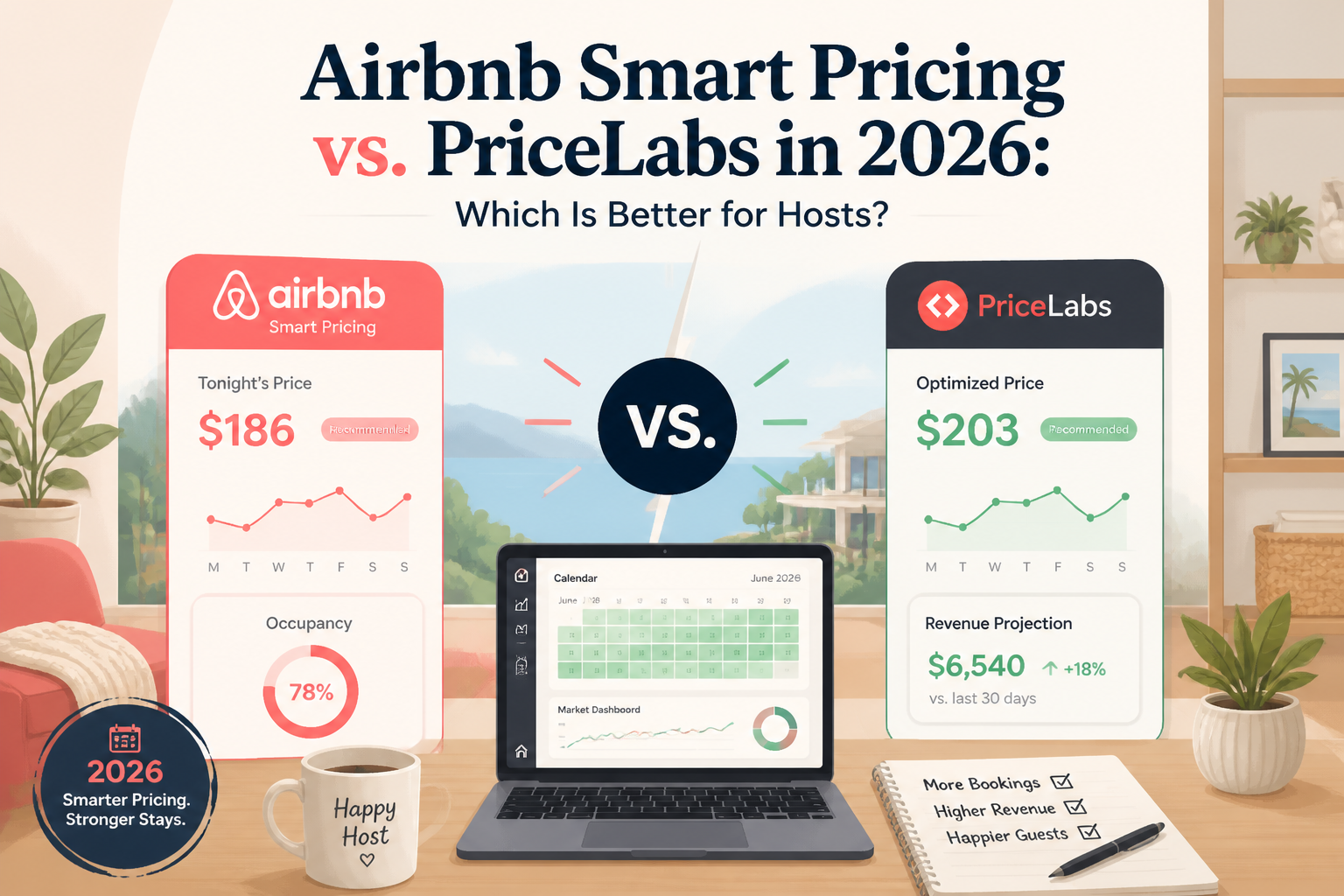
If you manage an Airbnb listing, you've probably wondered whether Airbnb Smart Pricing is good enough—or whether you should pay for PriceLabs.
Both tools can adjust nightly rates as demand changes. But they don't offer the same level of control, and choosing the wrong setup can lead to pricing decisions that don't match your property or business goals.
My short answer: Airbnb Smart Pricing is a reasonable starting point for hosts who want simple, built-in automation. PriceLabs offers more detailed controls for hosts who want to manage seasonality, booking lead times, events, and minimum-stay strategies. Neither guarantees higher revenue.
There's also one technical rule you need to understand immediately: you should not run Airbnb Smart Pricing and PriceLabs simultaneously on the same listing. PriceLabs explicitly instructs hosts to turn off Airbnb Smart Pricing before syncing its recommended rates.
I'm Elie Parienti, founder of SuperhostSEO and author of The Airbnb Optimization Playbook and The Airbnb Hosting Decisions Playbook.
In my optimization work, I see pricing as one part of a larger system. A property needs competitive rates, but it also needs an accurate listing, strong photographs, sensible availability settings, and a clear reason for guests to choose it.
A pricing algorithm cannot solve every booking problem.
In this guide, I'll compare Airbnb Smart Pricing and PriceLabs across the areas that matter most: cost, control, minimum prices, discounts, seasonal demand, calendar gaps, and what actually remains after a reservation.
1. What Does Airbnb Smart Pricing Actually Do?
Airbnb Smart Pricing is a built-in feature that automatically adjusts your nightly rates based on demand and characteristics of your listing and area.
Airbnb says the system considers hundreds of factors when determining rates. You can set a minimum and maximum price, and you can manually override suggested prices for particular dates.
You don't need a separate paid software subscription to use Smart Pricing, although normal Airbnb booking service fees still apply.
See Airbnb's official Smart Pricing guide.
Why Hosts Use It
The main advantage is simplicity.
Instead of manually reviewing every date, you can allow Airbnb to adjust nightly prices within the range you've configured.
For a host managing one apartment in a relatively predictable market, that convenience can be valuable.
You don't have to build a separate integration or learn another pricing dashboard.
What You Can Control
Airbnb Smart Pricing allows you to:
- Set a minimum nightly price.
- Set a maximum nightly price.
- Turn the system on or off.
- Override prices for individual dates or date ranges.
- Review and adjust your pricing settings as your strategy changes.
But those controls have limitations.
Airbnb states that Smart Pricing overrides professional hosting rule-sets and that hosts must turn it off to use the standard weekend-adjustment setting.
Weekly, monthly, and trip-length discounts can also override Smart Pricing.
That means the minimum and maximum numbers you enter are not the entire pricing strategy.
My Concern With Hands-Off Smart Pricing
In The Airbnb Optimization Playbook, I am critical of relying blindly on Airbnb Smart Pricing.
I describe examples where the suggested prices appeared too low relative to a property's features and my assessment of comparable accommodation.
But those experiences are property-specific observations, not proof that Smart Pricing always underprices listings.
A host may find the tool useful in one market and insufficient in another.
The real mistake is assuming that an automatically generated nightly rate must be the financially correct one.
Your software doesn't know every cost, constraint, or business objective you have.
2. How Is PriceLabs Different?
PriceLabs is a separate dynamic pricing platform designed for vacation rentals and other accommodation businesses.
It analyzes market conditions and generates date-specific prices based on factors such as:
- Seasonality
- Day of the week
- Local demand and events
- Booking lead time
- Market occupancy signals
- Your property's configured pricing rules
- Your listing's booking and pricing information, where supported
PriceLabs can connect directly to Airbnb or through compatible property management systems.
It also supports other booking channels, including Vrbo, through supported integrations.
See PriceLabs' explanation of Dynamic Pricing.
The Main Difference Is Customization
With PriceLabs, you establish a base price and can configure minimum and maximum prices.
Then you can apply additional rules.
For example, you might want:
- A stronger weekend premium.
- Different prices during peak and shoulder seasons.
- Higher minimum rates for bookings made far in advance.
- Targeted last-minute adjustments.
- Special treatment of short gaps between reservations.
- More flexible minimum-stay requirements as dates approach.
Some of those outcomes can also be managed manually through Airbnb.
PriceLabs makes it easier to automate a more detailed set of rules.
More Controls Also Mean More Responsibility
A sophisticated pricing tool is not automatically a better decision-maker.
If your base price is wrong, your entire pricing calendar can be affected.
If you configure aggressive last-minute discounts without reviewing the result, the tool may lower rates more than you intended.
And if minimum-stay automation conflicts with your cleaning requirements, you can create operational problems even while improving booking eligibility.
A more advanced tool gives you more control—but only if you understand and maintain the settings.
3. Airbnb Smart Pricing vs. PriceLabs: What Does Each Cost?
Cost is one of the clearest differences.
Airbnb Smart Pricing Cost
Smart Pricing is included in Airbnb's hosting tools without a separate monthly pricing-software subscription.
You still pay whatever Airbnb booking fees apply to your account when you receive reservations.
You also need to invest some time reviewing the price range and calendar.
PriceLabs Subscription Cost in 2026
PriceLabs charges separately for its Dynamic Pricing product.
Its official pricing page displays plan pricing that varies by region, listing count, and billing arrangement.
As checked in October 2026, the page's regional pricing explanation lists $19.99 USD per listing per month for the United States, United Kingdom, Canada, Europe, Australia, New Zealand, and Israel, plus applicable taxes.
It also lists other regional rates, discounts from the second listing onward, and an alternative percentage-of-booking-revenue plan available through its team.
The page currently displays a separate promotional or starting price in its headline, so don't assume every host will pay one universal amount.
Check the actual quoted subscription rate for your property and region before subscribing.
PriceLabs also advertises a 30-day trial.
Is $19.99 a Month Expensive?
That depends on the property.
At $19.99 per month, the annual subscription would cost approximately $239.88, before any applicable taxes or discounts.
For a profitable property earning several thousand dollars in accommodation revenue each month, the fee may be manageable.
For a property rented only occasionally, the same subscription could represent a more meaningful operating expense.
The important question isn't whether the software is cheap.
It's whether it improves your business enough to justify the cost and the time required to manage it.
A Simple Break-Even Example
Imagine you pay $19.99 per month for PriceLabs.
During the month, your property books ten nights.
If the tool helped you achieve an additional $5 of accommodation revenue per booked night, that would create:
- Ten booked nights
- $5 more gross revenue per night
- $50 in additional gross booking revenue
After the $19.99 software fee, about $30 remains before any additional platform fees, taxes, and other operating costs associated with that extra revenue.
That's a hypothetical example—not a prediction or a claim about PriceLabs' results.
The additional revenue might not occur, and a higher nightly rate could affect how many nights book.
I would evaluate actual net results over time rather than assuming the subscription pays for itself automatically.
4. Price Floors: The Most Important Setting in Either System
Before choosing a pricing tool, establish a minimum rate that makes sense for your property.
I consider this essential.
Your minimum price should reflect the business you're running, not simply the lowest price your competitors advertise.
What Should Your Minimum Nightly Rate Cover?
Consider:
- Platform service fees
- Variable utilities and supplies
- Laundry and cleaning costs not recovered through separate charges
- Property wear and maintenance
- Management and payment costs
- The contribution you need to justify accepting the reservation
Some expenses are fixed and some vary by stay.
A one-night booking and a seven-night booking can therefore have very different economics.
Example: A $150 Rate Doesn't Always Mean $150 of Revenue
Suppose your nightly rate is $150.
Under a hypothetical 15.5% Airbnb host-paid service fee, $23.25 would be deducted from that nightly amount.
That leaves $126.75, before operating expenses, taxes, and the treatment of any additional fees.
If the reservation requires expensive turnover work, the remaining amount may not justify the stay.
The appropriate minimum depends on your real costs.
Airbnb Smart Pricing Minimums Have Exceptions
Airbnb's own documentation explains that discounts can cause the guest's price to fall below your configured Smart Pricing minimum.
For example, an early-bird discount may reduce the effective price beyond what you expected from the Smart Pricing range alone.
Weekly, monthly, and trip-length discounts can override the Smart Pricing rate.
So a $150 Smart Pricing minimum doesn't mean every discounted reservation will effectively generate $150 per night.
Check the actual guest price and host payout.
PriceLabs Minimums Also Have Exceptions
PriceLabs offers minimum, base, and maximum price settings.
However, its documentation explains that certain fixed date-specific overrides and other customizations can produce rates below a configured minimum.
Read PriceLabs' guide to minimum-price exceptions.
This is an important lesson.
Neither platform's minimum-price field should be treated as a substitute for reviewing the final calendar and discount settings.
5. How Each Tool Handles Weekends, Events, and Seasonal Demand
One reason hosts consider PriceLabs is the desire to respond to changing demand without manually reviewing the entire calendar.
But not every property needs the same level of automation.
A Simple Weekday and Weekend Example
Imagine a three-bedroom vacation home.
You decide that comparable properties support:
- Weekday rate: $180
- Weekend rate: $250
- Special-event rate: $330
These amounts are illustrative.
Your goal is to charge more when the market supports it, without making slow periods unnecessarily expensive.
Airbnb Smart Pricing can adjust rates automatically based on its demand model, subject to your settings.
PriceLabs allows you to configure more explicit pricing adjustments and minimums around different days and market conditions.
The Challenge of Local Events
Suppose your destination hosts a major annual festival.
Travel demand may be stronger for particular dates.
You might want to protect your minimum rate during that period and avoid accepting an early booking at a price you later regret.
PriceLabs provides customization options for date-specific pricing and other demand-related adjustments.
Airbnb allows manual calendar overrides as well.
The question is how much work you want to do yourself and how much control you need over the automation.
Don't Overestimate the Software
No pricing system can guarantee that a local event will produce higher demand for your property.
An event may be canceled.
Travelers may choose another area.
New properties may enter the market.
Your own booking restrictions may prevent certain trips.
A good pricing strategy should be responsive, but it should also remain realistic.
My Preference
I would rather establish a sound base rate and deliberate guardrails than accept every automatically suggested adjustment.
In The Airbnb Optimization Playbook, I emphasize comparable properties, booking pace, seasonal patterns, and the value of your specific accommodation.
A dynamic pricing tool can support that work.
It doesn't eliminate the need for judgment.
6. Calendar Gaps and Minimum Stays: Where PriceLabs Can Add Value
Nightly price is only part of revenue management.
The length of stay guests are allowed to book can be just as important.
Consider a calendar with a three-night minimum.
A reservation leaves a two-night opening between two longer stays.
Those nights may remain empty because your usual minimum stay prevents a two-night booking.
The Orphan-Night Problem
Imagine:
- Reservation A ends Monday.
- Tuesday and Wednesday are open.
- Reservation B begins Thursday.
- Your standard minimum stay is three nights.
You have two available nights, but your restriction may prevent guests from booking exactly those two nights.
Lowering the nightly price won't solve the problem if the stay itself remains ineligible.
This is why calendar gaps deserve separate attention.
What PriceLabs Can Do
PriceLabs offers advanced minimum-stay customization, including rules for:
- Last-minute reservations
- Far-out reservations
- Orphan gaps
- Seasonal requirements
- Selected check-in and checkout days
Its Dynamic Min Stay functionality can update minimum-night recommendations automatically where supported.
See PriceLabs' minimum-stay guidance.
When PriceLabs manages these settings through supported integrations, it can overwrite minimum-stay values in Airbnb.
That makes configuration especially important.
Can You Handle Gaps Without PriceLabs?
Yes.
Airbnb has its own minimum-stay and calendar tools.
Hosts can also review stranded nights manually and adjust eligible stay lengths for particular dates.
If you manage one property with a predictable booking pattern, you may find the manual approach entirely manageable.
But if you operate several rentals with different seasonality and booking windows, automating the process may save time.
Don't Fill Every Gap at Any Price
This is a theme I explore in The Airbnb Hosting Decisions Playbook.
An extra reservation isn't automatically profitable.
If accommodating a short stay requires expensive cleaning, additional staffing, or a disproportionate amount of work, accepting that booking may not serve your business.
The question is not simply whether a night can be filled.
It's whether the resulting reservation is worth taking.
For more information, read What Are Orphan Nights on Airbnb and How Do You Fill Them?.
7. Discounts: Why I Prefer Creating Airbnb Promotions Inside Airbnb
There's a distinction I make between dynamic nightly pricing and promotional discounts.
PriceLabs can adjust the underlying daily rate.
But when I specifically want to offer an Airbnb promotion, I often prefer creating the promotion inside Airbnb itself.
I've discussed this approach in Why I Create Airbnb Discounts Inside Airbnb, Not PriceLabs.
Why Separate the Two?
The dynamic price represents your current nightly rate based on your pricing strategy.
A promotion is a specific discount you decide to offer.
Airbnb has its own tools for presenting eligible promotions and discounts to guests.
If I want to take advantage of those platform-specific features, I prefer to understand exactly how the discount is configured in Airbnb.
Example: A Seven-Night Reservation
Imagine your regular nightly rate is $200.
For a seven-night stay, the undiscounted accommodation subtotal is:
7 × $200 = $1,400
Now imagine offering a 10% weekly discount.
The discounted accommodation subtotal becomes:
$1,400 − $140 = $1,260
That's a meaningful reduction.
Before applying it, ask whether the longer booking actually reduces turnover costs or improves occupancy enough to justify the discount.
Now compare the impact on a two-night reservation with a $120 cleaning fee:
- Two nights at $200: $400
- Cleaning fee: $120
- Total before Airbnb service fees and taxes: $520
For seven nights with that same cleaning fee and a 10% accommodation discount:
- Seven discounted nights: $1,260
- Cleaning fee: $120
- Total before Airbnb service fees and taxes: $1,380
The cleaning fee represents a larger share of the shorter stay's cost.
This is why I compare total guest prices for different stay lengths, not just the nightly rate.
Be Careful About Stacking Discounts
A dynamic pricing tool may have already reduced rates for a soft period.
If you then add an Airbnb promotion, the final price may fall below what you intended.
Check the actual previewed reservation price.
Also verify how discounts interact with the specific rate source and integration you use.
Don't assume that a discount is harmless simply because the headline percentage looks modest.
8. Don't Run Smart Pricing and PriceLabs at the Same Time
This is one of the most important technical details in the comparison.
PriceLabs' official Airbnb integration documentation states that Airbnb Smart Pricing must be turned off when syncing PriceLabs rates.
Otherwise, Airbnb Smart Pricing may override the values PriceLabs sends.
See PriceLabs' Airbnb integration guide.
A Simple Setup Checklist
If you decide to use PriceLabs:
- Review your minimum, base, and maximum prices.
- Turn off Airbnb Smart Pricing.
- Connect PriceLabs through the appropriate supported integration.
- If you use a property management system, follow PriceLabs' guidance for connecting through that system rather than creating conflicting direct integrations.
- Review any existing Airbnb rule-sets.
- Configure minimum stays and other available rules deliberately.
- Enable syncing once you understand the setup.
- Check several actual Airbnb calendar dates to confirm the expected rates arrived.
Why the Calendar Check Matters
Imagine PriceLabs displays $240 for a Saturday night, but Airbnb shows $190.
That doesn't automatically mean one algorithm is wrong.
It may mean an existing override, discount, rule-set, synchronization problem, or conflicting setting is affecting the final price.
Investigate the rate source before making additional changes.
Confirm Both Future Rates and Restrictions
Don't check only tomorrow's price.
Look at:
- A normal weekday
- A busy weekend
- A holiday or event period
- A last-minute date
- A booking several months ahead
- A short gap between reservations
If minimum stays are being synchronized, verify those too.
An automation is only useful when the final calendar reflects the strategy you intended.
9. How I Would Decide Which Tool to Use
There's no universal winner.
Here's how I would approach different hosting situations.
Situation A: One Property, Predictable Demand, Limited Time
Airbnb Smart Pricing may be sufficient if you want basic automation, understand your minimum and maximum prices, and are willing to check the calendar periodically.
You may not need an additional subscription.
However, if the tool repeatedly suggests rates that don't fit your property or market, review whether the convenience is worth the compromise.
Situation B: One Premium Property With Unusual Demand
A luxury cabin, large beach house, or event-driven vacation rental may need more deliberate pricing rules.
For example, a distinctive property may justify minimum rates above those of ordinary nearby accommodation.
In that situation, PriceLabs may be worth evaluating, even for one listing.
But I would compare the actual proposed rates against your costs, comparable properties, and booking history before enabling automatic syncing.
Situation C: Several Properties With Different Booking Patterns
PriceLabs becomes more interesting when you need to manage multiple pricing calendars.
Automating different seasonal adjustments, far-out pricing, and minimum-stay rules may save meaningful time.
Still, each property's base price and constraints should reflect its characteristics.
A small studio and a six-bedroom home shouldn't automatically follow the same assumptions.
Situation D: Your Listing Gets Views but Few Bookings
This requires a different diagnosis.
If guests are finding the property but not reserving it, price may be part of the problem.
But unclear sleeping arrangements, weak photographs, missing amenities, or disappointing reviews may also contribute.
Before paying for more advanced pricing automation, examine whether the listing communicates enough value to justify its current rate.
You can start with How to Audit Your Airbnb Listing Before Lowering Your Price.
Situation E: Your Listing Isn't Appearing for Certain Dates
Check booking eligibility first.
If a minimum-stay rule prevents guests from booking a two-night weekend, a lower nightly price alone cannot fix it.
Investigate the calendar, advance notice, booking window, and relevant restrictions.
Read Airbnb Listing Not Showing for Certain Dates?.
10. Test Your Pricing Strategy Without Guessing
If you're considering a move from Airbnb Smart Pricing to PriceLabs, I recommend establishing a baseline before making the change.
Don't switch systems, rewrite your description, replace your cover photograph, alter your minimum stay, and raise your prices all at once.
If you do, it will be harder to understand what influenced the results.
Record Your Starting Position
For a relevant baseline period, record:
- Available nights
- Nights booked
- Average booked nightly rate
- Gross accommodation revenue
- Platform fees
- Booking-related operating expenses
- Net contribution
- Booking lead times
- Minimum-stay requirements
- The upcoming reservation calendar
Keep seasonal changes and unusual events in mind.
Review More Than Occupancy
Occupancy is important, but it isn't the only measure of success.
For example, imagine two hypothetical months.
Month A:
- 20 booked nights
- Average booked rate: $150
- Accommodation revenue: $3,000
Month B:
- 16 booked nights
- Average booked rate: $205
- Accommodation revenue: $3,280
Month B has lower occupancy but higher accommodation revenue.
That doesn't automatically mean Month B has higher profit.
You still need to account for booking fees, turnovers, costs, and any changes in the reservation mix.
But it demonstrates why filling the maximum number of nights isn't always the right objective.
Use a Sensible Evaluation Window
For an active listing, I would review the initial setup and rates immediately, then examine booking pace over the following weeks.
A 30-day check is a useful starting point, but it may not be enough to establish the effect of a pricing system.
Seasonal properties, long booking lead times, and low-volume listings may require longer comparisons.
And because demand changes over time, a before-and-after comparison isn't a controlled experiment.
The purpose is to make increasingly informed decisions.
11. Where SuperhostSEO Fits Into the Pricing Decision
PriceLabs and Airbnb Smart Pricing are pricing tools.
SuperhostSEO serves a different purpose.
I built SuperhostSEO to help hosts assess and improve how a property is presented to potential guests.
A dynamic pricing tool can adjust rates.
It doesn't automatically make your listing title more specific, organize your best photographs, or resolve unclear information about the property.
When to Run a Free Listing Audit
If you're considering lowering prices because bookings are weak, start by checking whether the listing itself has important weaknesses.
The SuperhostSEO Free Airbnb Listing Audit evaluates your public listing across nine categories, including title, description, photographs, amenities, guest access, and completeness.
It provides an independent optimization score and prioritized recommendations.
That score is not an official Airbnb search-ranking metric, and the audit cannot determine the mathematically optimal nightly price.
Its purpose is to identify structural weaknesses worth fixing.
When to Use Guest Intent Optimization
If your listing is reasonably complete but you're concerned about how guests perceive its value, use Guest Intent Optimization.
It examines how your photographs, descriptions, amenities, and guest feedback work together.
That can help identify where the listing may not clearly explain why guests should choose the property.
Again, this is not a replacement for pricing software.
It's a separate diagnostic tool for the guest decision process.
Prefer Personal Help?
I also offer professional Airbnb listing optimization services.
If you'd like me to review your listing personally or prepare improved content, you can explore my services at SuperhostSEO.
I don't promise that a rewritten listing or any particular pricing software will deliver guaranteed bookings.
My goal is to help hosts identify genuine weaknesses and make better-informed improvements.
Frequently Asked Questions
Is Airbnb Smart Pricing free?
Airbnb Smart Pricing is a built-in hosting feature without a separate software subscription. Normal Airbnb booking service fees still apply when reservations are made.
Is PriceLabs better than Airbnb Smart Pricing?
PriceLabs offers more detailed pricing and minimum-stay customization. Airbnb Smart Pricing is simpler and built directly into Airbnb. Which is more appropriate depends on your property, market, desired level of control, and willingness to pay for additional software.
Does Airbnb Smart Pricing usually set prices too low?
Some hosts find that Smart Pricing suggests rates below what they believe their property can command. That doesn't establish that it always underprices accommodation. Compare suggested rates with relevant competitors, your costs, and actual booking performance.
How much does PriceLabs cost for one Airbnb?
PriceLabs publishes region-dependent pricing. As checked in October 2026, its pricing details list $19.99 USD per listing per month for several regions, including the United States and Israel, before applicable taxes, while other regions and plans have different rates. Check its live pricing page for your specific quote.
Can I use Airbnb Smart Pricing and PriceLabs together?
No—not as simultaneous active pricing systems for the same listing. PriceLabs instructs hosts to disable Airbnb Smart Pricing because it can override synced PriceLabs rates.
Does using PriceLabs improve Airbnb search ranking?
Airbnb identifies price competitiveness as an important search factor, but it does not publish a general ranking bonus merely for using PriceLabs or any particular external pricing brand. Competitive pricing may influence search performance, but software choice alone does not guarantee better rankings.
Can Airbnb Smart Pricing go below my minimum price?
Discounts and promotions may cause the effective guest price to fall below the configured Smart Pricing minimum. Check applicable discounts and the final reservation price rather than assuming the minimum always determines the lowest payable rate.
Can PriceLabs go below my minimum price?
Some fixed date-specific overrides and other permitted customizations can bypass a PriceLabs minimum. The platform documents these exceptions. Review your actual final rates and override hierarchy.
Does PriceLabs manage Airbnb minimum stays?
Yes, PriceLabs offers minimum-stay customization and can send supported restrictions to Airbnb. Depending on the integration, its settings may overwrite minimum-night rules you previously configured in Airbnb.
Should I create Airbnb discounts in PriceLabs or Airbnb?
It depends on the type of adjustment you want. I prefer using dynamic pricing for underlying nightly rates and creating certain Airbnb promotions inside Airbnb when I specifically want its platform promotion features. Check for discounts stacking or conflicting with synced prices.
Is PriceLabs worth it for only one property?
It can be, especially in a seasonal, event-driven, or unusually complex market. But the subscription and setup effort must be justified by actual financial and operational benefits. A host with predictable demand may prefer Airbnb's built-in tools and manual oversight.
Will PriceLabs or Smart Pricing increase my bookings?
Neither guarantees additional bookings. Nightly pricing affects competitiveness, but guests also consider location, property features, reviews, available dates, restrictions, and listing presentation.
Final Thoughts: Choose a Pricing Strategy Before Choosing a Tool
Airbnb Smart Pricing and PriceLabs solve related problems, but they offer different levels of control.
Airbnb Smart Pricing is convenient. It is built into the platform and can automatically adjust nightly rates without another subscription.
PriceLabs offers more detailed control over base prices, demand adjustments, events, booking lead times, minimum stays, and short calendar gaps.
That flexibility can be valuable.
But it also requires careful setup and ongoing review.
In The Airbnb Optimization Playbook, I emphasize a principle that applies to both:
A pricing tool should implement your strategy—not replace your judgment.
Know your minimum profitable rate.
Understand your property's real advantages.
Compare the total price guests see.
Check your booking restrictions.
And measure net results rather than celebrating occupancy in isolation.
If your listing is underperforming, don't assume better pricing software is the only solution.
Sometimes the rate is wrong.
Sometimes the calendar is too restrictive.
And sometimes guests simply aren't receiving a clear explanation of why the property is worth its price.
Before making major pricing changes, run a Free Airbnb Listing Audit at SuperhostSEO to identify weaknesses in your public listing.
If your presentation is already strong, focus your attention on pricing, market demand, availability, and operating costs.
If you prefer professional listing advice, you can also work with me directly.
The goal isn't to use the most sophisticated pricing algorithm.
It's to choose rates and booking conditions that make sense for your property, your guests, and your business.
Written by Elie Parienti, founder of SuperhostSEO and author of The Airbnb Optimization Playbook, The Airbnb Tools Playbook, The Airbnb Hosting Decisions Playbook, and The Airbnb Direct Booking Playbook. This guide combines the pricing frameworks from my books with publicly documented Airbnb and PriceLabs features as of October 2026. All financial illustrations are hypothetical, and product pricing or features may change.
Further Reading
- Airbnb: How Smart Pricing Works
- Airbnb: Set and Customize Nightly Pricing
- Airbnb: How Rule-Sets Work
- PriceLabs: Official Pricing Plans
- PriceLabs: How Dynamic Pricing Works
- PriceLabs: Airbnb Integration and Common Questions
- PriceLabs: Minimum, Base, and Maximum Rates
- Why I Create Airbnb Discounts Inside Airbnb, Not PriceLabs
- Should You Lower Airbnb Prices When Bookings Slow Down?
- How to Audit Your Airbnb Listing Before Lowering Your Price
- Free Airbnb Listing Audit
Airbnb optimization specialist, Superhost, and founder of one of the largest Airbnb host communities.
Continue Reading
Chosen for you from The Optimization Journal.
 CornerstoneAirbnb Views but No Bookings After a Price Increase? 9 Things to Check
Did your Airbnb bookings slow down after you raised your nightly rate? Learn how to compare listing views, conversion, total guest prices, and competing properties before deciding whether to lower your price.
17 min read CornerstoneAirbnb Listing Not Showing for Certain Dates? How to Test Search Filters and Booking Restrictions
Your Airbnb appears for one set of dates but disappears for another. Learn how to test search criteria, minimum stays, guest counts, advance notice, booking windows, and calendar restrictions without guessing about your ranking.
22 min read CornerstoneAirbnb Ranking Dropped After You Edited Your Listing: What to Check Before Reverting Changes
Did your Airbnb search visibility decline after changing your title, photos, description, or settings? Learn how to identify which edit may have mattered, distinguish lower views from lower rankings, and decide when to revert a change.
22 min read CornerstoneAirbnb SEO Tools in 2026: Which Ones Do You Actually Need?
Not every Airbnb optimization tool solves the same problem. Learn the difference between listing audits, guest intent analysis, search rank tracking, competitor intelligence, and AI listing tools—and when to use each one.
17 min read Airbnb vs. Vrbo for Hosts in 2026: Which Platform Fits Your Property and Profits?
Airbnb or Vrbo—which is better for your vacation rental? Compare the October 2026 host-fee changes, property eligibility, guest fit, search visibility, calendar syncing, and real payout math before choosing one platform or both.
16 min read