
Airbnb Search Ranking Dropped Suddenly? How to Find Out What Changed
Did your Airbnb listing suddenly lose views or search visibility? Learn how to diagnose ranking changes, check availability and pricing, compare market conditions, and identify what to fix before rewriting your listing.
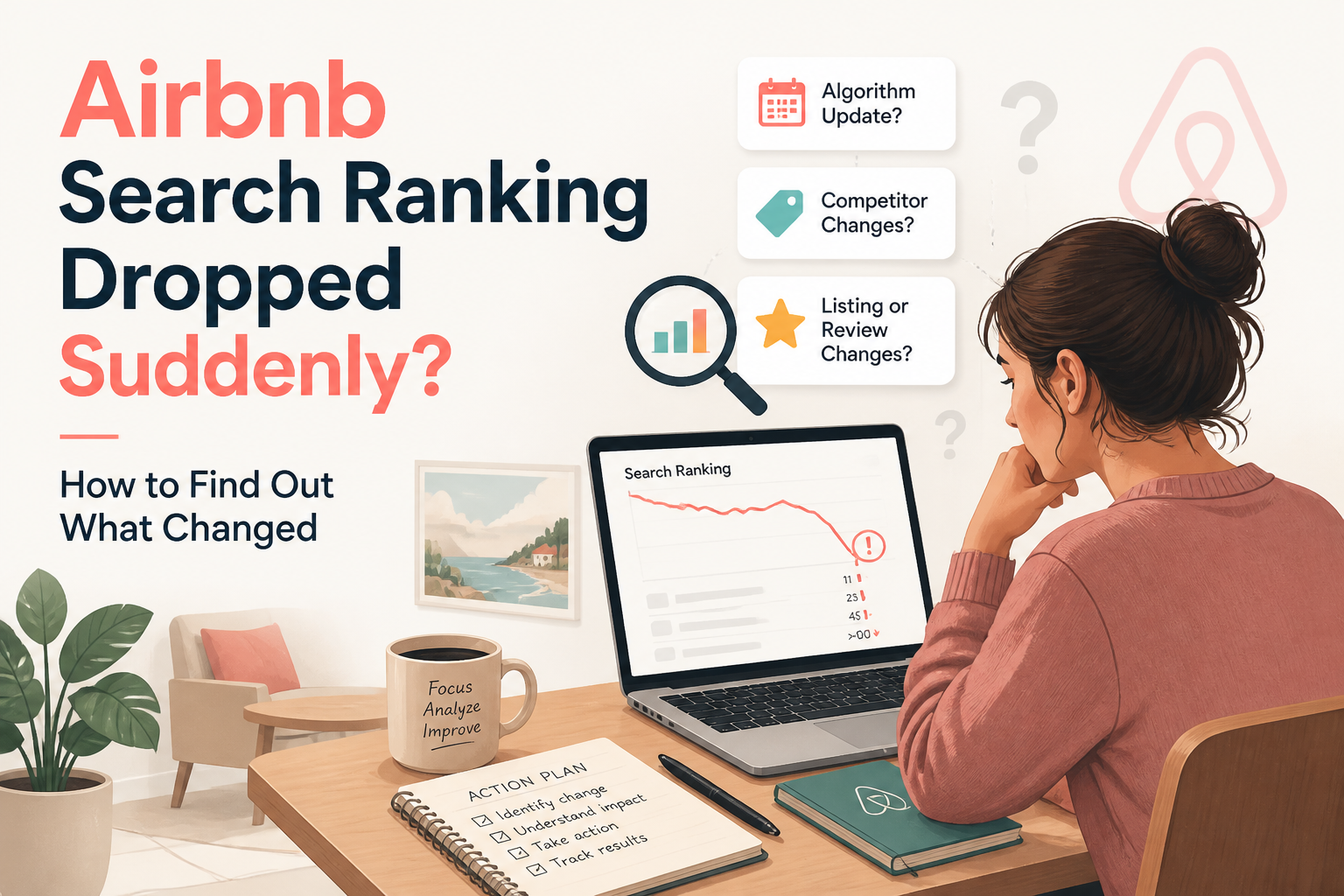
If your Airbnb search ranking suddenly dropped, start by checking whether the decline is real, whether your listing is still eligible for relevant searches, and what changed before the decline began.
A sudden reduction in listing views can be caused by several things: blocked dates, restrictive minimum stays, changes in pricing, stronger competition, seasonal demand, or a less compelling first impression.
It does not automatically mean Airbnb has penalized your listing.
In fact, declining views and declining search ranking are not necessarily the same thing.
You can receive fewer listing visits because fewer guests are searching your destination, because your cover photo attracts fewer clicks, or because your property appears less often in searches for which it previously qualified.
Those problems require different solutions.
After years of optimizing Airbnb listings, I've learned that the most expensive mistake hosts make during a sudden slowdown is changing everything before understanding what actually happened.
In The Airbnb Optimization Playbook, I teach a troubleshooting process built around three principles:
Identify the problem. Find what changed. Fix the most likely cause first.
Here is how to apply that framework when your Airbnb listing suddenly seems less visible.
- First, Understand What Actually Dropped
Before investigating your Airbnb ranking, you need to understand which performance metric has changed.
There are three important stages in a guest's journey.
Stage One: Search visibility
Your listing appears among the properties a guest can consider for their search.
Airbnb's algorithm decides which eligible listings to display and how to order them.
This depends on factors such as guest search criteria, listing characteristics, quality, popularity, price, and location.
Stage Two: Search-to-listing conversion
A guest sees your property in search results and chooses to open the listing.
Your opening photographs, price, reviews, and visible listing information can influence that decision.
Stage Three: Listing-to-booking conversion
After opening your listing, the guest decides whether to make a reservation.
At this stage, the complete photo gallery, description, amenities, booking conditions, reviews, and total price help shape the decision.
Airbnb describes these stages in its official documentation on "understanding conversion performance" (https://www.airbnb.com/help/article/2714).
Why the distinction matters
Imagine your property received 800 listing views last month and only 400 this month.
That's a 50% decline in views.
But that number alone does not prove your search ranking fell by 50%.
Several explanations are possible.
Your property may have appeared in fewer searches.
It may have appeared at similar positions while attracting fewer clicks.
It may have been unavailable for more dates.
Or demand in your market may have fallen.
Listing views tell you how often guests opened your property. They do not, by themselves, establish its search position.
Before changing anything, identify which part of the booking journey appears to have weakened.
- Check Your Airbnb Insights Before Making Changes
In Chapter 11 of The Airbnb Optimization Playbook, I explain why understanding Airbnb Insights is essential to diagnosing listing performance.
The key is separating historical performance from information about future demand.
Depending on which hosting tools are enabled for your account, Airbnb can provide reporting on listing views, conversion, booking lead time, and comparisons with similar properties.
Hosts using Airbnb's professional hosting tools can access additional performance information through the Insights dashboard.
Look at recent performance
Start with the available historical information.
I recommend comparing three periods.
Last 7 Days
Useful for noticing recent changes, although a short period may contain too little data to draw reliable conclusions.
Last 30 Days
A more useful starting point for identifying sustained changes in listing views and booking conversion.
Comparable Seasonal Periods
Where historical data is available, compare your performance with a relevant period in the previous year.
A property in a seasonal destination should not automatically compare a busy holiday month with the beginning of low season.
A practical example
Imagine this hypothetical situation.
Previous 30 Days
- Listing views: 650
- Bookings: 13
- Bookings divided by listing views: 2.0%
Current 30 Days
- Listing views: 390
- Bookings: 8
- Bookings divided by listing views: Approximately 2.1%
What does this tell us?
The booking-per-view ratio remained approximately stable.
But the number of listing visitors declined.
That suggests investigating visibility, guest interest, eligibility, or market demand before assuming the entire property description needs rebuilding.
What if views remain stable but bookings decline?
Now imagine another hypothetical situation.
Previous 30 Days
- Listing views: 650
- Bookings: 13
- Bookings divided by listing views: 2.0%
Current 30 Days
- Listing views: 650
- Bookings: 5
- Bookings divided by listing views: Approximately 0.8%
This tells a different story.
Guests are still opening the listing, but fewer are committing to a reservation.
That points toward investigating booking conversion rather than assuming a visibility problem.
Possible areas to review include:
- Pricing competitiveness
- The complete photo gallery
- Property descriptions
- Guest reviews
- Booking restrictions
- Guest expectations
- Important missing information
The displayed ratios are simplified diagnostic calculations, not substitutes for Airbnb's own reported conversion metrics.
Separate performance from future demand
Future booking demand should inform pricing and availability decisions.
Historical listing performance should help you evaluate how the property has performed.
Confusing the two can lead you to make inappropriate changes.
Use the information each metric actually measures.
- Make a Timeline of Everything That Changed
One of the most useful troubleshooting exercises is also one of the simplest.
Before making new edits, write down what has changed since your listing was performing normally.
In The Airbnb Optimization Playbook, I recommend reviewing recent adjustments before assuming an algorithm change is responsible.
Possible changes include:
- Replacing the cover photograph
- Reordering the first five photographs
- Rewriting the title or summary
- Increasing nightly rates
- Changing cleaning or extra-guest fees
- Updating cancellation rules
- Changing minimum-night requirements
- Blocking calendar dates
- Updating amenities
- Receiving new reviews
- Modifying guest access or booking settings
Not all changes are intentional.
Sometimes calendar dates are blocked because of synchronization with another platform.
Sometimes a setting is changed during seasonal preparation and never reconsidered.
The objective is to create a timeline.
Example: A ranking decline after a price adjustment
Suppose your listing views began falling shortly after you increased your nightly rate.
That doesn't prove the price change caused the decline.
Perhaps demand was already weakening.
Perhaps competitors became more competitive.
Or perhaps your new total price placed the property outside some guests' preferred ranges.
But the timing provides a useful hypothesis.
You can investigate whether the price remains competitive for the dates and guest groups you are targeting.
Example: A decline after changing photos
Imagine you replaced a bright photograph showing your private pool with a darker photograph of the living room.
The new image may look more elegant to you.
But it may communicate less of the property's distinctive value to guests scanning search results.
That could affect interest in your listing.
Again, timing doesn't prove causation.
But it tells you where to begin investigating.
A change log turns vague anxiety into specific questions you can test.
- Check Your Airbnb Calendar and Booking Restrictions
Sometimes the problem isn't ranking.
It's search eligibility.
Your property may have perfectly good photographs, reviews, and descriptions while being unavailable for the dates guests are searching.
Before changing your listing content, check the calendar.
Blocked dates
Confirm that the dates guests are likely to search are actually open.
Look for dates blocked manually, by calendar synchronization, or by preparation-time settings.
Minimum stays
Suppose your property requires four nights.
A guest searches for a three-night stay.
Your listing may not qualify for that search.
That doesn't mean it received a poor ranking.
It means the booking requirements don't match.
Booking window
If your calendar is only open a few months ahead, guests planning farther in advance may not be able to reserve your property.
Whether you should extend that window depends on your operations and market.
Advance notice
A property requiring several days' advance notice may not qualify for certain last-minute searches.
That restriction might be entirely appropriate for your cleaning arrangements.
But it should be intentional.
Look for new availability insights
Airbnb introduced personalized pricing and availability insights in 2026.
Depending on your account and location, you may see suggestions related to opening more dates, reducing minimum stays, adjusting advance notice, or changing prices.
These suggestions can be helpful diagnostic signals, but they should still be evaluated against your costs and hosting requirements.
Read more in "Airbnb's guide to personalized insights" (https://www.airbnb.com/resources/hosting-homes/a/all-new-insights-to-help-your-listing-stand-out-768).
What I recommend
Before rewriting a single paragraph, verify that your property can actually accept the types of bookings your ideal guests are searching for.
A listing cannot compete effectively for stays it cannot accommodate.
- Review Your Cover Photo and First Five Images
If your listing remains eligible for relevant searches, the next place I look is the opening photo gallery.
Guests make rapid comparisons between properties.
They are evaluating price, location, photographs, reviews, and visible details before deciding which listing deserves more attention.
Your cover photograph should communicate a genuine reason to consider your property.
Ask yourself three questions
Does my cover photo still show the property's strongest feature?
If the main attraction is a private pool, remarkable view, or distinctive outdoor space, consider whether the opening image makes that clear.
Are the first five photographs competitive?
Look at the images together.
Do they provide a useful overview of the property's best features, or do they repeat similar angles of the same room?
Have competitors improved their presentations?
Your photographs may not have changed, but the market around you may have.
If nearby properties have invested in stronger imagery, your listing may become less compelling by comparison.
Don't confuse photo quality with algorithm access
Airbnb confirms that high-quality photographs and videos can influence guest engagement and listing quality.
But it doesn't disclose a formula that says changing a particular photo will move you a fixed number of positions.
A better photo can improve how effectively a listing communicates its appeal.
Whether it improves actual search visibility or bookings depends on the circumstances.
For more detail, read "What Should Your First 5 Airbnb Photos Show?" (https://www.superhostseo.com/blog/first-five-airbnb-photos).
- Check Whether Your Price Is Still Competitive
Pricing is one of the important factors Airbnb publicly identifies in search results.
But pricing competitiveness is not just about the nightly rate.
Airbnb considers the total price of a stay and how it compares with similar properties for the relevant dates.
That means cleaning fees, discounts, and other price components can change how attractive your listing appears.
Compare relevant properties
Don't compare a basic one-bedroom apartment against a luxury three-bedroom home.
Choose properties with similar characteristics:
- Location
- Guest capacity
- Bedroom count
- Amenities
- Property quality
- Review profile
Then compare the total cost for the same dates and length of stay.
Look for market changes
Perhaps nearby hosts reduced rates for a quiet season.
Perhaps additional vacation rentals entered the market.
Perhaps your property is now priced above comparable alternatives without clearly communicating an advantage.
Any of these situations may warrant investigation.
Should you immediately lower your price?
Not necessarily.
In The Airbnb Hosting Decisions Playbook, I explored how experienced hosts approach discounting during slow periods.
Some protect a minimum profitable rate.
Others adjust because local market conditions have genuinely changed.
The important lesson is to make a deliberate decision.
Check booking pace, market conditions, costs, and perceived value before changing prices.
A discount may improve competitiveness, but it does not guarantee more bookings or higher profits.
For a deeper discussion, see "How to Audit Your Airbnb Listing Before Changing Your Price" (https://www.superhostseo.com/blog/audit-airbnb-listing-before-changing-price).
- Look for Missing Amenities and Changes to Listing Quality
Amenities can affect whether your property qualifies for filtered searches.
Imagine your listing includes a dedicated workspace.
You mention it in your description and show it in a photograph.
But the dedicated workspace setting is not selected.
Guests using that filter may not see your property among matching results.
The same principle applies to other relevant amenities.
Review your listing settings and confirm that all genuine features are selected accurately.
Pay attention to:
- Wi-Fi
- Heating and air conditioning
- Washer and dryer
- Free parking
- Kitchen
- Pool or hot tub
- Dedicated workspace
- Other features important to your target guests
The objective is accuracy, not selecting amenities you don't provide.
Also review guest experience signals
Airbnb says its search system evaluates listing quality and popularity using multiple signals.
These include aspects of guest reviews, ratings, communication, cancellations, and engagement.
If performance has declined, check for meaningful changes in these areas.
For example, have recent guests repeatedly mentioned difficulty accessing the property?
Has a new review highlighted a mismatch between photographs and reality?
Have response times changed substantially?
These are reasons to investigate service and presentation quality.
Don't assume a single review automatically caused a specific ranking decline.
Instead, identify patterns and address legitimate guest concerns.
Check Airbnb's review insights
Airbnb's 2026 review insights can surface suggestions based on guest feedback, depending on availability.
For example, they may highlight inaccurate photographs or unclear check-in instructions.
Use that feedback to improve the actual experience, not simply to rewrite away a problem that still exists.
- Determine Whether the Problem Is Your Listing or the Entire Market
This is a critical step.
Your listing can lose views or bookings even when nothing is wrong with its content.
Guest demand changes.
Seasons end.
Local events come and go.
New competitors enter the market.
Travel patterns shift.
A property that was highly competitive during one season may face very different conditions a few months later.
Compare against similar listings
Where Airbnb provides relevant comparable-property information, use it.
Look at whether your own performance is changing differently from properties in the same market.
If demand is falling across the destination, that may explain part of the slowdown.
If comparable properties are holding steady while yours declines, your listing deserves closer investigation.
Neither observation proves a cause on its own.
But it helps narrow the possibilities.
Use Competitor Intelligence carefully
SuperhostSEO's Competitor Intelligence feature compares your calendar's availability and minimum-stay patterns with up to three selected competitor listings.
This can be useful when investigating whether nearby properties have different booking restrictions or availability patterns.
But there is an important limitation.
A blocked date on a competitor's calendar is not proof of a paid booking.
It might be a reservation, owner use, maintenance, or another restriction.
Competitor availability is useful context, not verified occupancy or revenue data.
Remember seasonal booking patterns
A beachfront property may have a long booking lead time before summer.
A city apartment may rely more heavily on reservations made closer to arrival.
Compare your current booking pace with what's normal for your particular market.
Don't treat every quiet week as an emergency.
- How to Measure Whether Your Airbnb Ranking Really Changed
If your concern is search position rather than only listing views, you need to measure search results under comparable conditions.
A single manual search isn't enough to establish a reliable trend.
Airbnb results change according to guest search criteria and personalization.
The same property can appear differently for different dates, guest counts, and filters.
A more useful approach
Choose searches that reflect the trips your real guests typically book.
For example, you might monitor:
Search One
Your destination, four guests, a three-night weekend, and no unnecessary filters.
Search Two
Your destination, six guests, a five-night family vacation, and relevant amenities.
Search Three
Your destination, two guests, dates farther in advance, and the property's typical stay requirements.
Only use searches that match your actual accommodation and booking settings.
Then repeat comparable tests over time.
The objective is to understand the direction of visibility, not claim your property has one permanent search position.
Use Search Visibility to monitor trends
The SuperhostSEO Search Visibility tool runs anonymous Airbnb searches and records average positions under tested conditions.
It helps hosts follow visibility trends over time rather than depending on the personalized results of a single manual search.
The tool is part of the paid workspace and, as described in The Airbnb Tools Playbook, supports one saved scan every 30 days per property.
It cannot reproduce every personalized guest result.
It also cannot prove why a ranking change happened.
Use it to monitor a signal, then investigate that signal alongside Airbnb Insights, pricing, availability, and listing quality.
For more information, see "How to Measure Where Your Airbnb Listing Appears in Search" (https://www.superhostseo.com/blog/measure-airbnb-search-position).
- Use an Airbnb Listing Audit to Investigate Structural Problems
If your listing's visibility has declined, its calendar is accurate, and market conditions don't fully explain the change, it's worth examining the listing itself.
This is where a structured audit becomes useful.
The "SuperhostSEO Airbnb Listing Audit" (https://www.superhostseo.com/audit/) evaluates a live listing across nine weighted categories.
It examines important elements of your listing, including the title, summary, main property description, and other completeness-related information.
Rather than giving you only an overall number, it provides prioritized recommendations.
What the audit can help identify
For example, it may reveal that:
- Your title doesn't communicate a distinctive benefit.
- Your short summary contains generic language.
- Your main property description leaves important questions unanswered.
- Sections of the listing are incomplete.
- Some gallery or presentation details deserve closer review.
These are practical areas you can investigate and improve.
What the audit cannot tell you
An audit cannot definitively identify the cause of a sudden search-ranking decline.
It cannot access Airbnb's complete private ranking formula.
It cannot determine the exact booking demand in your market.
And a higher audit score does not guarantee a corresponding increase in search ranking or reservations.
The purpose is to identify listing weaknesses that may deserve attention.
That information becomes more useful when combined with your performance data.
A practical approach
Start with the free audit.
Read the top priorities rather than jumping automatically to the lowest-scoring category.
Choose one important improvement.
Make the change accurately.
Then monitor the results.
If a full listing rewrite is needed, the SuperhostSEO Listing Workshop provides a guided process for improving individual sections after diagnosis.
If the listing is already strong but needs smaller changes, Listing Revamp may be more appropriate.
The goal is to make deliberate improvements, not replace the entire listing every time views fluctuate.
Want to check your listing before making changes?
"Run your free Airbnb Listing Audit with SuperhostSEO" (https://www.superhostseo.com/audit/) and get a structured assessment with prioritized recommendations.
- A 30-Minute Airbnb Ranking Drop Checklist
If your listing suddenly seems less visible, here is the troubleshooting process I'd use before making substantial edits.
Minutes 1–5: Confirm the decline
Review available performance metrics.
Check whether the change concerns search impressions, listing views, booking conversion, or total reservations.
Compare the current period with a relevant historical period.
Minutes 6–10: Verify search eligibility
Review:
- Listing publication status
- Open dates
- Minimum-night rules
- Booking window
- Advance notice
- Preparation time
- Applicable amenity settings
Make sure your property can actually accept the searches you are using to evaluate it.
Minutes 11–15: Review recent changes
Check whether you recently modified:
- Photos
- Title
- Descriptions
- Prices or fees
- Booking settings
- Amenities
Write down when the change occurred and what changed afterward.
Minutes 16–20: Compare the market
Review relevant comparable properties, local demand, and seasonal booking patterns.
Check whether your total price remains competitive for your property's quality and amenities.
Minutes 21–25: Review guest-facing presentation
Look at your opening gallery, title, description, amenities, and recent guest feedback.
Ask whether your property still communicates its strengths clearly.
Minutes 26–30: Choose your next step
If you've identified a definite configuration error, correct it.
If the issue is an apparent competitiveness or presentation weakness, make one deliberate improvement.
If there is no clear problem and the decline is brief, continue monitoring before making substantial changes.
For meaningful content changes, I generally prefer observing results over one to two weeks or longer where traffic is limited, rather than making new edits every day.
That is a practical testing recommendation, not an official Airbnb ranking-reset rule.
- When Should You Stop Changing Your Airbnb Listing?
This may be the most difficult part of the process.
A host notices fewer bookings.
They change the title.
Two days later, they change the cover photograph.
Then they reduce prices, rewrite the summary, and adjust their minimum-night requirements.
A week later, performance still looks uncertain.
Now they have no reliable way to understand which change helped or hurt.
In The Airbnb Optimization Playbook, I recommend addressing one meaningful weakness at a time whenever possible.
That doesn't mean you should leave a genuine operational problem unresolved.
If dates are accidentally blocked or important information is inaccurate, correct those issues.
But avoid unnecessary experimentation when the listing is already accurate and the market is simply experiencing a temporary slowdown.
Good optimization is a process of review, measurement, and deliberate improvement.
It isn't constant editing for the sake of activity.
Frequently Asked Questions
Why did my Airbnb ranking suddenly drop?
A perceived ranking decline can result from changes in guest search criteria, availability, pricing, competition, listing quality, popularity, or market demand. First confirm whether search position actually changed, rather than relying only on a decline in listing views.
Why did my Airbnb views suddenly decrease?
Views may decline because fewer guests are searching, your property appears in fewer relevant searches, guests click your listing less often, or availability restrictions reduce eligibility. Compare available performance metrics before deciding on a solution.
Does Airbnb penalize hosts for changing their listing?
Airbnb does not publish a general rule stating that ordinary title, photo, or description edits automatically trigger a ranking penalty. Changes can affect how guests respond to a listing, but a decline after an edit does not prove an algorithmic penalty.
Does changing my Airbnb title improve ranking?
A clearer title may make your listing more compelling to prospective guests. However, Airbnb considers numerous factors when ordering search results, and a title change does not guarantee a higher position.
Can a bad Airbnb review lower my search ranking?
Airbnb identifies ratings and reviews among the factors involved in evaluating listing quality. However, the impact of an individual review cannot be reliably expressed as a fixed ranking change. Address genuine guest concerns and look for patterns rather than assuming a single review explains every performance shift.
Does lowering my Airbnb price improve search ranking?
Airbnb says pricing competitiveness influences search results. A lower total price may make a property more attractive relative to comparable listings, but it doesn't guarantee better rankings or bookings. Consider profitability and market conditions before discounting.
How long does Airbnb ranking recovery take?
Airbnb does not publish a universal recovery timeline for search-ranking declines. The outcome depends on the underlying cause, guest demand, search conditions, and other factors. Monitor meaningful trends rather than expecting every edit to produce immediate results.
Is there an Airbnb rank tracker?
Yes. SuperhostSEO provides a Search Visibility tool that runs anonymous searches and tracks average position under tested conditions. Because Airbnb personalizes results, it is designed for monitoring trends rather than identifying one fixed ranking for every guest.
Can a free Airbnb listing audit help when my ranking drops?
A free audit can help identify structural weaknesses, incomplete information, and presentation issues in your listing. It cannot determine the precise cause of an algorithmic ranking change, but it can help you prioritize potential improvements.
Should I delete and republish my Airbnb listing if rankings fall?
A ranking decline alone isn't a good reason to delete a listing. First investigate eligibility, availability, performance trends, pricing, and listing quality. Recreating a listing may create additional complications and does not guarantee improved visibility.
Final Thoughts: Diagnose the Change Before You Try to Reverse It
A sudden decline in Airbnb views or search visibility can be frustrating, especially when the property was performing well before.
But reacting immediately isn't always the best strategy.
Sometimes the problem is a calendar restriction.
Sometimes the price no longer matches market conditions.
Sometimes the opening photographs have become less competitive.
Sometimes guest demand has declined across the destination.
And sometimes the apparent ranking drop is simply the result of comparing different searches.
The important thing is to separate those possibilities.
Check what actually changed.
Make sure your property qualifies for relevant searches.
Compare the market.
Review your listing's presentation.
Then address the most likely issue rather than rewriting everything.
That's the central principle behind my approach to Airbnb optimization:
Diagnose first. Prioritize second. Improve deliberately.
If your listing is active but you're unsure which sections may be holding it back, start with a structured review.
"Run your free Airbnb Listing Audit with SuperhostSEO" (https://www.superhostseo.com/audit/) to receive an overall assessment, category scores, and prioritized recommendations for improving your listing.
Written by Elie Parienti, founder of SuperhostSEO and author of The Airbnb Optimization Playbook, The Airbnb Tools Playbook, and The Airbnb Hosting Decisions Playbook. This troubleshooting framework draws primarily from Chapters 11 and 22 of The Airbnb Optimization Playbook.
Further Reading
- "Airbnb: How Search Results Work" (https://www.airbnb.com/help/article/39)
- "Airbnb: Understanding Performance Data for Conversion" (https://www.airbnb.com/help/article/2714)
- "Airbnb: All-New Insights to Help Your Listing Stand Out" (https://www.airbnb.com/resources/hosting-homes/a/all-new-insights-to-help-your-listing-stand-out-768)
- "How to Measure Where Your Airbnb Listing Appears in Search" (https://www.superhostseo.com/blog/measure-airbnb-search-position)
- "Why Your Airbnb Listing Gets Views but Not Bookings" (https://www.superhostseo.com/blog/airbnb-views-but-no-bookings)
- "Free Airbnb Listing Audit — SuperhostSEO" (https://www.superhostseo.com/audit/)
Airbnb optimization specialist, Superhost, and founder of one of the largest Airbnb host communities.
Continue Reading
Chosen for you from The Optimization Journal.
 CornerstoneWhy Is My Airbnb Listing Not Getting Bookings in 2026? How to Find the Real Problem
When Airbnb bookings slow down, lowering your price is not always the solution. Learn how to identify whether your listing has a visibility problem, a conversion problem, or a market-demand problem—and what to fix first.
12 min read CornerstoneWhy Is My Airbnb Listing Not Showing Up in Search? 9 Things to Check
Can't find your Airbnb listing in search results? It may not be an algorithm problem. Learn how to check listing status, blocked dates, minimum stays, booking restrictions, amenities, and visibility before making unnecessary changes.
18 min read CornerstoneWhy Your Airbnb Calendar Shows Available Dates That Guests Can't Book
Your Airbnb calendar shows open dates, but guests still can't reserve them. Learn how minimum stays, check-in restrictions, preparation time, advance notice, and calendar synchronization can silently block bookings.
19 min read CornerstoneShould You Lower Airbnb Prices When Bookings Slow Down? What Hosts Actually Say
When Airbnb bookings slow down, should you lower your nightly rate or hold firm? Discover what experienced hosts reported, why some regret discounting, and how to make smarter pricing decisions.
15 min read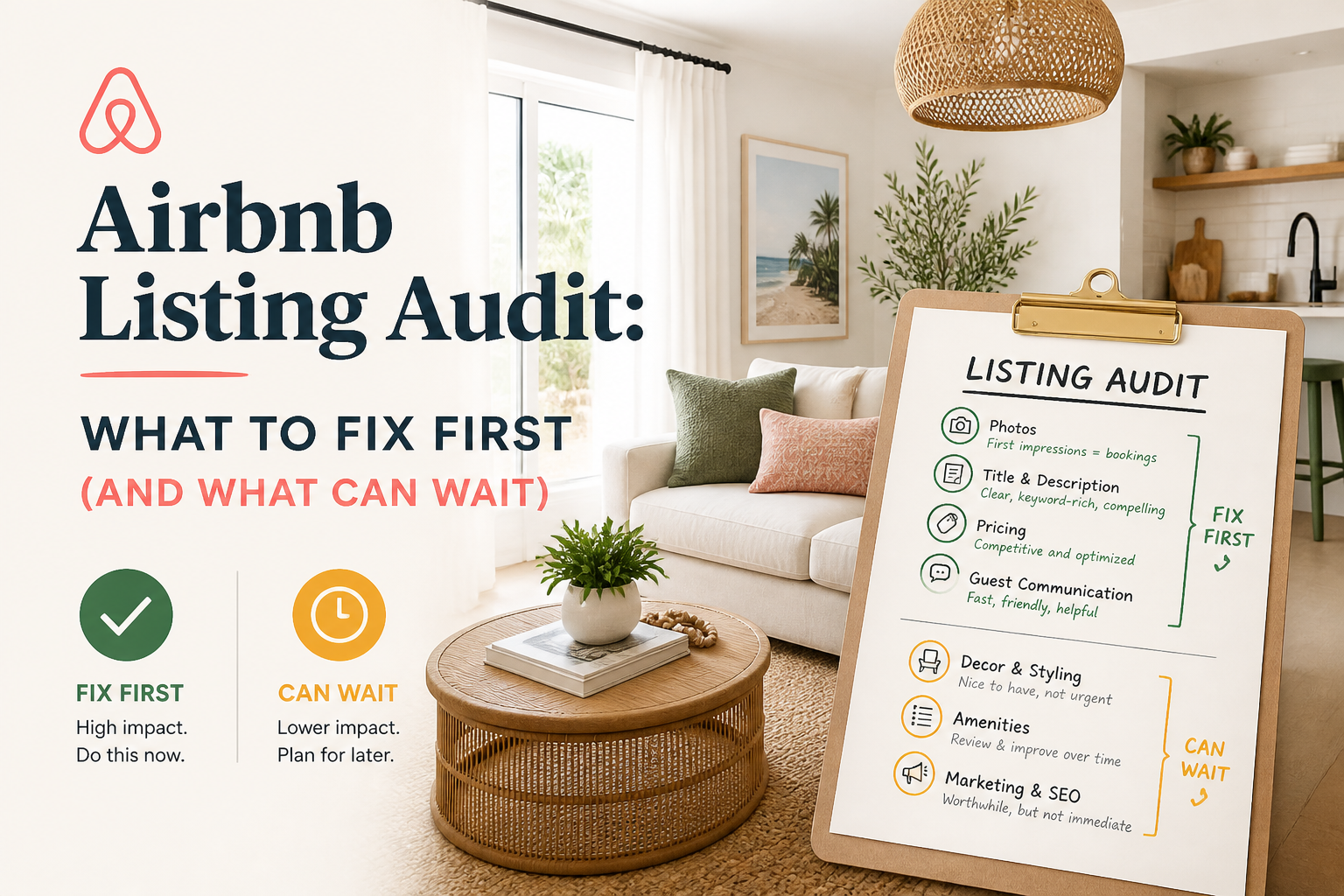 CornerstoneAirbnb Listing Audit: What to Fix First (And What Can Wait)
Not every weakness in your Airbnb listing deserves the same attention. Learn how to read an Airbnb listing audit, identify high-impact problems, and prioritize improvements that actually matter to guests.
14 min read