
Airbnb Listing Not Showing for Certain Dates? How to Test Search Filters and Booking Restrictions
Your Airbnb appears for one set of dates but disappears for another. Learn how to test search criteria, minimum stays, guest counts, advance notice, booking windows, and calendar restrictions without guessing about your ranking.
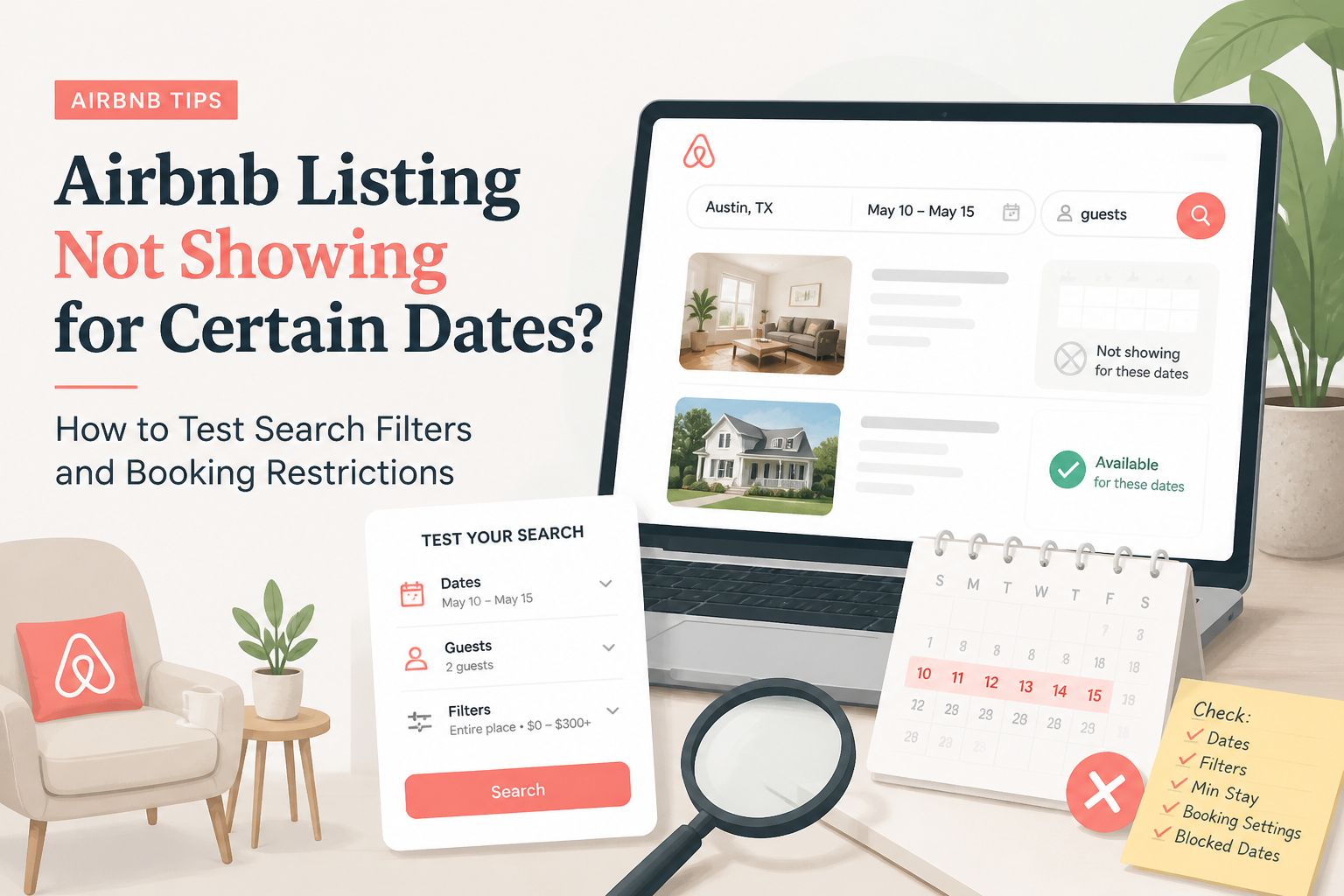
Your Airbnb listing appears when you search for one weekend. You change the dates, and suddenly it disappears. You try another week, and the property shows up again. Maybe it appears when you search for two guests but not six. Perhaps it appears without filters, then disappears when you select Instant Book or pet-friendly accommodation.
It's frustrating, especially when your hosting calendar seems open. If your Airbnb listing appears for some searches but not others, start by checking whether it qualifies for each specific trip.
A property may be published and performing normally while failing to match a guest's dates, stay length, guest count, booking requirements, or selected filters. Airbnb also personalizes and orders results, so not finding your property in one search does not automatically mean it has been removed from search.
I'm Elie Parienti, founder of SuperhostSEO and author of The Airbnb Optimization Playbook.
When I investigate an Airbnb visibility problem, I separate two very different questions:
- Search eligibility: Can the property actually accommodate the trip the guest is searching for?
- Search ranking: If the property qualifies, how prominently does Airbnb display it among competing listings?
A new title or better photographs might improve how guests respond to your listing. They cannot make a three-night minimum stay compatible with a two-night reservation. In this guide, I'll show you how to identify which search condition is causing your listing to disappear, using a controlled testing process instead of guessing.
1. Start With Two Searches That Differ by Only One Detail
This is the most useful place to begin. If you search for your property using different dates, guest counts, locations, and filters every time, you cannot tell which change affected the results. Instead, create a baseline search that you can repeat.
Build Your Baseline Search
Choose a trip that you know your property should accommodate.
For example:
- Destination: Your property's actual area
- Check-in: November 12
- Checkout: November 16
- Guests: Two adults
- Pets: None
- Property type: No additional restriction
- Booking filters: None
- Price range: No manually imposed limit
The dates above are illustrative. Choose future dates that make sense for your own property. Search Airbnb using those conditions. If you find your property, record the search criteria and the listing's approximate position. Now change only one variable.
For example, keep everything else identical but shorten the stay from four nights to two. If your property disappears, you have a useful clue. The change in stay length may have made the reservation incompatible with your booking rules.
Why This Is Better Than Repeatedly Searching
Imagine you're testing a beachfront rental.
In your first search, you use:
- Four nights
- Four guests
- No filters
In your second search, you use:
- Two nights
- Six guests
- Pet-friendly filter
- Maximum price of $300
Your listing appears in the first search but not the second.
What caused the difference?
You don't know. The guest count, stay length, pet policy, and price filter all changed. To identify the issue, change one condition at a time.
Don't Treat Search Position as an Exact Measurement
Airbnb's search results can differ based on the map area, dates, guest preferences, and personalization. The official Airbnb search explanation describes the factors used to match and order listings. For that reason, I wouldn't assume that appearing in position 18 during one search and position 27 during another proves a meaningful ranking decline.
What matters first is whether the property meets the search conditions at all.
2. Confirm That the Dates Are Actually Bookable
A night can look open in your hosting calendar while a particular reservation remains unavailable. This is one of the most common sources of confusion. An available night is not necessarily the same thing as a bookable stay.
Example: An Open Calendar With a Hidden Restriction
Imagine your property is open from Thursday through Sunday. A guest wants to arrive Friday and leave Sunday. There are no confirmed reservations during those nights.
But your listing requires at least three nights. The two-night trip does not satisfy your booking settings. From your perspective, the calendar is open. From the guest's perspective, the reservation is not eligible under the current rules.
Inspect the Exact Dates in Your Host Calendar
Open the Airbnb hosting calendar and select the nights involved in the failed search. Don't review only the color or apparent openness of the dates. Check whether Airbnb provides a reason for a restriction or block. Airbnb's guide to blocked calendar nights explains that availability settings, preparation time, notice requirements, connected calendars, and other conditions can cause dates to be blocked.
A confirmed reservation is an obvious block. Other causes may be less obvious.
Check Your Listing Status Separately
If the listing doesn't appear for any reasonable future dates, verify that it is published and active. A property that is unlisted, suspended, or subject to an account issue requires a different troubleshooting process. Also review any notifications from Airbnb requesting additional account or listing information.
Don't attempt to fix an account-status issue by repeatedly rewriting your description. For a broader diagnostic guide, see Why Is My Airbnb Listing Not Showing Up in Search?.
3. Test Minimum and Maximum Stay Rules
Minimum-night requirements are often the explanation when a listing appears for long stays but disappears for shorter ones. Suppose your property requires three nights. It may qualify for a Thursday-to-Sunday search but not a Friday-to-Sunday search. That is a booking-rule mismatch, not necessarily poor search ranking.
Test Two Nights Against Four Nights
Use one guest count, one location, and no additional filters.
Run two searches:
Search A: A two-night stay covering an otherwise open weekend. Search B: A four-night stay starting on the same date, assuming those additional nights are also available. If your property appears only in Search B, inspect the minimum-stay setting.
Airbnb allows hosts to configure minimum and maximum trip lengths in the calendar under Availability → Trip length. You can review the official instructions in Set the Minimum and Maximum Nights for Your Listing.
Check Rules for Individual Check-In Days
This is particularly important if your listing appears for a Monday arrival but not a Friday arrival. Airbnb supports custom minimum-night requirements based on the check-in day. You might allow two-night stays for most arrivals but require three nights when guests check in on Friday.
That can be an intentional way to protect weekend revenue. It can also cause confusion if you've forgotten about the setting.
Watch for Rule-Set Overrides
If you use professional hosting tools, review any rule-sets applied to the dates. A custom rule-set may override the normal minimum-night requirement. For example, your standard minimum might be two nights, but an old summer rule-set could require seven nights for a particular date range.
The appropriate fix is to inspect the rule that applies to the affected dates. Don't assume the listing's default minimum tells the whole story.
When You Shouldn't Lower the Minimum Stay
In The Airbnb Hosting Decisions Playbook, I explore the tradeoffs hosts face when choosing between shorter reservations and longer stays. A short booking can require substantial cleaning, laundry, guest communication, and turnover work. It isn't automatically profitable just because the dates are empty.
Before lowering a minimum stay, consider the operating cost, expected revenue, and the possibility of a longer reservation. The goal isn't to appear in every search. It's to appear in searches for trips that make sense for your business. For a deeper discussion of this tradeoff, read Why Your Airbnb Minimum Stay Might Be Creating Empty Nights.
4. Check Restricted Check-In and Checkout Days
A property may meet the guest's minimum-stay requirement and still be unavailable because of arrival or departure restrictions. This can happen with properties that operate on fixed weekly schedules. For example, some beach houses prefer Saturday-to-Saturday bookings during peak vacation periods.
That strategy can be reasonable. But it can also prevent otherwise suitable trips.
Example: The Length Is Correct, but the Arrival Day Isn't
Imagine your property allows three-night reservations. The calendar is open from Thursday through Sunday. A guest searches for Thursday check-in and Sunday checkout.
However, a rule-set permits arrivals only on Friday or Saturday. The requested stay does not match the arrival rule. Now imagine the guest moves the check-in date to Friday and selects Monday checkout, with those dates available. The listing may qualify for the second search even though it didn't qualify for the first.
How to Isolate the Problem
Test two stays of the same length with different arrival days. Keep the guest count, location, and filters unchanged. If one arrival day consistently produces an eligible stay while another doesn't, inspect your check-in and checkout rules.
Pay special attention to:
- Seasonal arrival restrictions
- Weekend-only check-ins
- Fixed weekly turnover days
- Date-specific rule-sets
- Checkout-day limitations
Some restrictions may be necessary because of staffing or property operations. But a rule designed for peak season may no longer make sense during a slower period. Airbnb explains that restricted check-in and checkout days can affect calendar availability. See Why Your Calendar Nights May Be Blocked.
5. Check Advance Notice and Preparation Time
Another useful clue is when your listing appears for dates next month but disappears for a trip beginning tomorrow. That pattern points toward settings related to booking lead time.
Advance Notice
Advance notice controls how close to check-in a guest can make a reservation. Suppose your listing requires at least two days' notice. A guest searching today for tomorrow night may not be eligible to book under that rule.
A guest searching for a stay beginning next week may qualify. This is not necessarily a search penalty. It's a restriction you've established for operating the property. Airbnb's booking settings guidance explains how advance notice can affect availability and search eligibility.
Preparation Time Between Reservations
Preparation time creates a buffer between guests. Imagine one guest checks out Monday and another guest wants to arrive Tuesday. You have the necessary accommodation space, but your settings require more time between reservations.
That buffer may prevent the stay. Preparation time can be important for cleaning, maintenance, and safety. Don't remove a necessary turnover buffer simply to appear in an additional search.
Instead, confirm whether the requirement is intentional and still appropriate. Airbnb provides instructions for setting preparation time between reservations.
A Simple Same-Week Test
Try three searches with the same guest count and stay length:
- A stay beginning tomorrow
- A stay beginning four days from now
- A stay beginning two weeks from now
Choose dates that are otherwise open. If the listing appears only for later arrivals, examine advance notice and any nearby reservation buffers. This test won't prove the cause by itself, but it tells you where to investigate next.
6. Check Whether Your Booking Window Excludes Future Dates
Some hosts discover that their listing appears for dates three months away but disappears when they search nine months ahead. The reason may be the booking window. Airbnb lets hosts choose how far into the future guests can reserve their property. For example, if your availability window is set to six months, dates farther out may not be available for ordinary booking.
Example: A Guest Planning Next Summer
Imagine you manage a family beach house. It's October, and a guest is planning an August vacation. Your listing accepts bookings only six months in advance.
That guest's desired dates fall outside the open booking window. Your property could be well optimized and still be unavailable for that future trip.
How to Check the Setting
Open your Airbnb calendar, select the listing, and review its availability window. The current Airbnb help documentation describes booking windows such as three, six, nine, twelve, or twenty-four months. See Choose How Far in Advance Guests Can Book Your Home.
Should You Open More Future Dates?
Not always. A longer booking window may be useful for family vacation properties, destination rentals, and accommodations where guests plan far ahead. But hosts also need to consider future operating costs, pricing uncertainty, owner use, and other commitments.
In The Airbnb Optimization Playbook, I treat calendar flexibility as part of a market-specific strategy rather than an obligation to open every available date. The correct window is the one that fits your property and the way your ideal guests plan their trips.
7. Test Guest Count, Pets, and Search Filters Separately
Not every missing-listing problem is caused by dates. Sometimes changing the number of guests or activating a filter removes your property from the results. This is why I recommend testing search variables individually.
Guest Count
Suppose your listing accommodates a maximum of four guests. It appears when you search for two adults. But it doesn't appear when you search for six.
That result is expected if the property cannot accommodate six guests. Now consider a listing that can legitimately host six people but is configured for only four. The listing may be excluding suitable searches because of incorrect capacity information.
Review the guest capacity, sleeping arrangements, and relevant listing settings. Don't increase the permitted capacity unless the property can legally and safely accommodate the additional guests. Pets
Airbnb allows guests to search for accommodation that accepts pets. A property may appear in a search without pets but disappear when a traveler adds a dog. That may reflect the property's selected pet policy.
Check your House Rules and pet settings rather than adding misleading text to the description. See Airbnb's guidance for searching for pet-friendly places. Service animals are subject to different rules from ordinary pets, so hosts should not assume a no-pets policy automatically permits declining service animals.
Property Type and Entire-Place Filters
A guest searching exclusively for an entire home may not find a property categorized as a private room. Similarly, a guest applying a particular property-type filter may exclude accommodation that doesn't match that category. Review how the listing is classified.
The answer is not to select a more popular category regardless of accuracy. The category should describe what guests will actually receive.
Amenity Filters
Imagine your rental has free parking. You mention it in the description, but the appropriate amenity isn't selected. A guest filtering for free parking may not find your property as expected. Check your Airbnb amenity selections carefully.
This may include:
- Wi-Fi
- Parking
- Washer or dryer
- Pool
- Hot tub
- Dedicated workspace
- Air conditioning
- Other relevant facilities
Only select amenities that genuinely exist and are available under the conditions described.
Accessibility Filters
Accessibility searches deserve particular care. If a guest filters for a specific accessibility feature, Airbnb relies on structured accessibility information rather than simply assuming a general description is sufficient. Make sure the information is accurate and supported by the property's actual features. Do not mark a feature as available unless it satisfies the relevant requirements.
Price Filters
Suppose your listing appears without a maximum-price filter but disappears when a guest chooses a lower price limit. The simplest explanation may be that the property's guest-facing price exceeds the selected range. Check the price for the exact dates and guest count.
Your nightly rate alone may not reflect the amount considered during the guest's search. Pricing competitiveness and eligibility under a price filter are separate questions.
8. Check Booking Options and Connected Calendars
If the basic search criteria match your property, investigate two less obvious sources of differences: booking options and connected availability systems.
Instant Book Filters
Airbnb allows guests to search for properties that can be booked instantly. A listing using Request to Book may not appear in a search restricted to Instant Book properties. This does not mean that every host should activate Instant Book.
Some properties and operations benefit from additional review before confirming reservations. But you should understand how your chosen booking settings affect the searches you can match. Airbnb explains the relevant booking options in its customize booking settings guide.
Guest Booking Requirements
Certain booking requirements may affect whether a guest can book your property. For example, Airbnb offers optional requirements related to a guest's booking history when Instant Book is enabled. This is one reason your own account may not reproduce another guest's booking experience exactly. Rather than treating one account's search as definitive, inspect the actual settings and any relevant Airbnb notices.
Imported Calendars
If you advertise your property on Vrbo, Booking.com, or another platform, review synchronization. A reservation or blocked date on one platform may be imported into Airbnb. In some cases, the host may forget that a particular calendar is connected. Airbnb documents how imported calendars work in Sync Your Home Host Calendar to Other Websites.
Linked Airbnb Listings
Another situation arises when a host offers both an entire property and individual rooms. Linked Airbnb calendars can block related listings to prevent conflicting bookings. For example, a reservation for the entire home may automatically make the individual rooms unavailable.
That may be exactly the intended behavior. But it should be verified when a date unexpectedly disappears. See Linking Calendars for Multiple Airbnb Listings.
Property Management Software
If you use a property management system or channel manager, some availability rules may originate outside Airbnb. A rule in the software may open or close dates without an obvious manual action in your Airbnb calendar. Airbnb recommends checking synchronization and the source software before disconnecting integrations. If you suspect this problem, compare the same dates in both systems and contact your software provider if the settings disagree.
9. Determine Whether the Issue Is Eligibility or Search Ranking
After testing the relevant conditions, return to the distinction that matters most. A listing that cannot accommodate a searched trip is different from a listing that qualifies but appears farther down in the results. If your three-night minimum prevents a two-night booking, improving the title won't make that trip eligible. If the listing qualifies but receives little attention, then title, photographs, price, reviews, and overall listing quality deserve more consideration.
Signs of an Eligibility Problem
You have stronger reason to investigate booking restrictions when:
- The property disappears only for shorter stays.
- One check-in day works, but another doesn't.
- Searches starting tomorrow fail while later stays work.
- Future dates beyond your booking window don't appear.
- Adding pets or more guests removes the property.
- Activating a specific filter causes the listing to disappear.
These patterns suggest that search conditions or availability deserve investigation first. They don't individually prove which rule is responsible.
Signs You Should Investigate Search Performance
A different pattern occurs when the property qualifies for the searches you are testing but seems less visible or attractive than before. In that situation, examine Airbnb's available performance data.
Consider:
- Search impressions
- Listing visits
- Search-to-listing conversion
- Listing-to-booking conversion
- Relevant changes in price
- Comparable properties
- Recent reviews and other guest feedback
Airbnb's official conversion reporting guide can help you distinguish search exposure from guest behavior after seeing the listing. Remember that search results are personalized, and the map may show a different selection from the list. No single manual search can reveal your exact universal Airbnb rank. For a separate ranking-specific framework, read Airbnb Search Ranking Dropped Suddenly? How to Find Out What Changed.
The 15-Minute Airbnb Search Visibility Test
You don't need to make this complicated. Here's the practical test I recommend when a listing appears for one trip but not another.
Minutes 1–3: Establish a Working Search
Find a set of dates that your property can accommodate. Use a reasonable guest count and remove optional search filters. Confirm that the listing is published and available. Record the successful search conditions.
Minutes 4–6: Change the Stay Length
Keep the starting date and guest count consistent where practical. Compare shorter and longer stays that fall within genuinely available nights. If a shorter stay doesn't work, check minimum nights and custom check-in-day requirements. If a longer stay doesn't work, check maximum-night rules and whether every night is actually available.
Minutes 7–9: Change the Arrival Date
Keep the trip length and other search conditions unchanged. Try an arrival on a different day of the week. If one arrival works and another doesn't, inspect check-in restrictions and date-specific rule-sets.
Minutes 10–12: Change Guest Count and Filters
Return to a working set of dates. Increase the guest count only to a number your property can safely accommodate. Then test pet-friendly, property-type, amenity, booking-option, and price filters one at a time. Record exactly which filter changes the result.
Minutes 13–15: Check Calendar Restrictions
Inspect the relevant dates in your host calendar. Check notice requirements, preparation time, booking window, and synchronized calendars. If you find a restriction, identify why it exists before changing it.
Record What You Learned
At the end of the test, write one sentence describing your finding.
For example:
"My listing appears for four-night stays but not two-night stays because my minimum is three nights."
Or:
"My listing appears without filters but not when Instant Book is selected because I use Request to Book."
Or:
"I haven't found an eligibility issue, so I need to investigate search performance separately." That is much more useful than concluding that Airbnb has hidden your listing.
When Should You Change a Booking Restriction?
Finding the restriction is not the same as deciding to remove it. A rule can reduce the number of eligible searches while still serving a legitimate business purpose. For example, a three-night minimum might protect a property from expensive turnovers.
A preparation buffer might be essential for cleaning. A limited booking window might preserve owner flexibility. In The Airbnb Hosting Decisions Playbook, I examine how hosts approach these tradeoffs.
The goal isn't to maximize eligibility without considering costs. It's to understand what each rule does and whether it still fits the property's operating model.
Example: A Two-Night Gap
Imagine a four-bedroom beach house with a three-night minimum. Existing reservations leave two nights open. You could temporarily lower the minimum to two nights for that gap.
But first, consider whether the reservation would generate enough net revenue after cleaning, supplies, and turnover costs. You should also assess whether the guest experience and staffing arrangements would remain satisfactory. For more on this decision, read What Are Orphan Nights on Airbnb and How Do You Fill Them?.
What a SuperhostSEO Listing Audit Can—and Cannot—Tell You
A search-eligibility problem and a listing-quality problem require different tools. This distinction is important because I don't want hosts running an audit expecting it to reveal private settings that Airbnb doesn't expose publicly.
What the Free Airbnb Listing Audit Checks
The SuperhostSEO Free Airbnb Listing Audit reviews a public listing across nine categories and provides an overall score out of 100.
It evaluates elements such as:
- Listing title
- Short summary
- Main description
- Photo organization
- Photos
- Amenities and listing information
- Guest Access
- Other Things to Note
- Listing completeness
This helps identify structural and presentation issues that deserve attention. The audit is useful when guests can find your property but the listing may not be communicating its value clearly.
What It Cannot See
A public listing audit cannot reliably inspect every private Airbnb setting.
For example, it cannot independently confirm all your:
- Date-specific rule-set overrides
- Advance-notice settings
- Preparation-time requirements
- Internal calendar blocks
- Connected calendar rules
- Guest-specific booking restrictions
Those must be checked through your Airbnb hosting account and any connected property management software. A high audit score doesn't guarantee eligibility for every guest search, nor does it represent an official Airbnb ranking score.
What About Search Rank Tracking?
For hosts who want to monitor visibility over time, SuperhostSEO Pro includes an Airbnb Search Rank Tracker. It can help you examine where your property appears across multiple available date windows. That is different from a public listing audit.
As I explain in The Airbnb Tools Playbook, search-position measurements should be interpreted as trends rather than universal rankings because Airbnb personalizes results. Neither tool should replace checking booking restrictions directly.
Start With the Right Diagnosis
If your listing disappears only when you select particular dates, inspect eligibility first. If the property qualifies for the search but your content is weak, a listing audit can help prioritize improvements. If visibility appears to be declining across comparable searches, consider tracking trends over time. And if you need a personal assessment of the listing itself, you can work with me through SuperhostSEO's professional services.
Frequently Asked Questions
Why does my Airbnb listing show for some dates but not others?
Your property may meet the booking requirements for one trip but not another. Minimum stays, arrival restrictions, advance notice, preparation time, booking windows, and blocked dates can all affect whether a reservation is possible.
Does Airbnb hide listings when guests choose certain dates?
Airbnb matches results to guest search criteria and booking availability. If a property cannot accommodate the dates under its current settings, it may not appear in those results. That does not necessarily mean Airbnb has penalized the listing.
Why does my Airbnb show for four nights but not two?
Check your minimum-stay requirements, including rules based on check-in day and date-specific rule-sets. A three-night minimum, for example, generally prevents a two-night reservation under that rule.
Why does my Airbnb appear for two guests but not six?
Your configured guest capacity may be lower than the search's guest count. Other booking conditions may also be relevant. Verify your permitted occupancy and sleeping arrangements rather than changing the maximum without confirming the property can accommodate the larger group.
Why is my Airbnb missing from search when I add a pet?
Check the listing's pet policy and the filters being applied. A search for pet-friendly properties may exclude accommodation that doesn't permit ordinary pets. Service-animal requirements are governed by separate Airbnb policies.
Can check-in-day restrictions prevent my listing from appearing?
Yes. If the requested arrival day conflicts with your availability settings or an active rule-set, the property may not qualify for that stay.
Why can't guests find my Airbnb for next summer?
Your booking window may not extend that far into the future. Review how many months ahead your property accepts reservations and whether the relevant dates are open.
Can preparation time affect Airbnb search visibility?
Yes. Preparation-time settings may block nights around existing reservations, making certain stays unavailable even when nearby dates are otherwise open.
Does turning off Instant Book make my listing invisible?
No. Listings using Request to Book can still appear in Airbnb search. However, guests who apply an Instant Book filter may not see listings that don't match that booking option.
Can a connected Vrbo calendar affect my Airbnb availability?
Yes. Calendar synchronization can import unavailable dates from other booking platforms. Check your linked calendars and the source of any unexpected block.
How can I tell if my Airbnb ranking actually dropped?
First verify that the listing qualifies for the searches you are comparing. Then review available Airbnb performance data and use consistent search conditions over time. A single manual search doesn't establish your overall ranking.
Will changing my Airbnb title make the listing appear for unavailable dates?
No. A title change doesn't override booking restrictions. Correct the actual availability or eligibility problem first. Review titles and photographs separately when you are evaluating listing quality or guest engagement.
Final Thoughts: Find the Restriction Before Changing the Listing
When your Airbnb appears for one search and disappears for another, it's easy to assume the algorithm is working against you. Sometimes your search visibility genuinely changes. But sometimes the issue is far more specific.
A two-night search conflicts with a three-night minimum. A Thursday arrival isn't permitted. A guest wants to travel tomorrow, but your listing requires advance notice.
A future reservation falls outside your booking window. Or a filter excludes a feature your property doesn't offer—or hasn't been configured to show. In The Airbnb Optimization Playbook, I emphasize that successful optimization starts with understanding the actual problem.
Don't rewrite your description to fix a calendar restriction. Don't lower prices to solve an incorrect guest-capacity setting. And don't assume a missing search result proves an algorithmic penalty. Start with a working search. Change one variable at a time.
Identify the restriction. Then decide whether changing it makes sense for your business. Once you know guests can find and book the property for the stays you're targeting, you can focus on how effectively the listing communicates its value.
If you'd like to assess the public-facing quality of your listing, run a free Airbnb Listing Audit at SuperhostSEO. You'll receive a structured report showing areas to improve. And if you'd prefer personalized listing optimization advice, you can explore my professional services.
The most useful optimization isn't always a better title. Sometimes it's discovering that the right guest couldn't book your property in the first place. ---
Written by Elie Parienti, founder of SuperhostSEO and author of The Airbnb Optimization Playbook, The Airbnb Tools Playbook, The Airbnb Hosting Decisions Playbook, and The Airbnb Direct Booking Playbook. This article applies the calendar strategy, search-performance troubleshooting, and minimum-stay decision frameworks discussed in those books. All example properties and dates are illustrative, not results from individual client audits.
Further Reading
- Airbnb: How Search Results Work
- Airbnb: Set Minimum and Maximum Nights
- Airbnb: Why Calendar Nights May Be Blocked
- Airbnb: Customize Booking Settings
- Airbnb: Choose Your Availability Window
- Airbnb: Sync Your Calendar With Other Websites
- Why Is My Airbnb Listing Not Showing Up in Search?
- Why Your Airbnb Calendar Shows Available Dates Guests Can't Book
- Why Your Airbnb Minimum Stay Might Be Creating Empty Nights
- Free Airbnb Listing Audit
Airbnb optimization specialist, Superhost, and founder of one of the largest Airbnb host communities.
Continue Reading
Chosen for you from The Optimization Journal.
 CornerstoneAirbnb Ranking Dropped After You Edited Your Listing: What to Check Before Reverting Changes
Did your Airbnb search visibility decline after changing your title, photos, description, or settings? Learn how to identify which edit may have mattered, distinguish lower views from lower rankings, and decide when to revert a change.
22 min read CornerstoneAirbnb Views but No Bookings After a Price Increase? 9 Things to Check
Did your Airbnb bookings slow down after you raised your nightly rate? Learn how to compare listing views, conversion, total guest prices, and competing properties before deciding whether to lower your price.
17 min read CornerstoneWhy Is My Airbnb Listing Not Showing Up in Search? 9 Things to Check
Can't find your Airbnb listing in search results? It may not be an algorithm problem. Learn how to check listing status, blocked dates, minimum stays, booking restrictions, amenities, and visibility before making unnecessary changes.
18 min read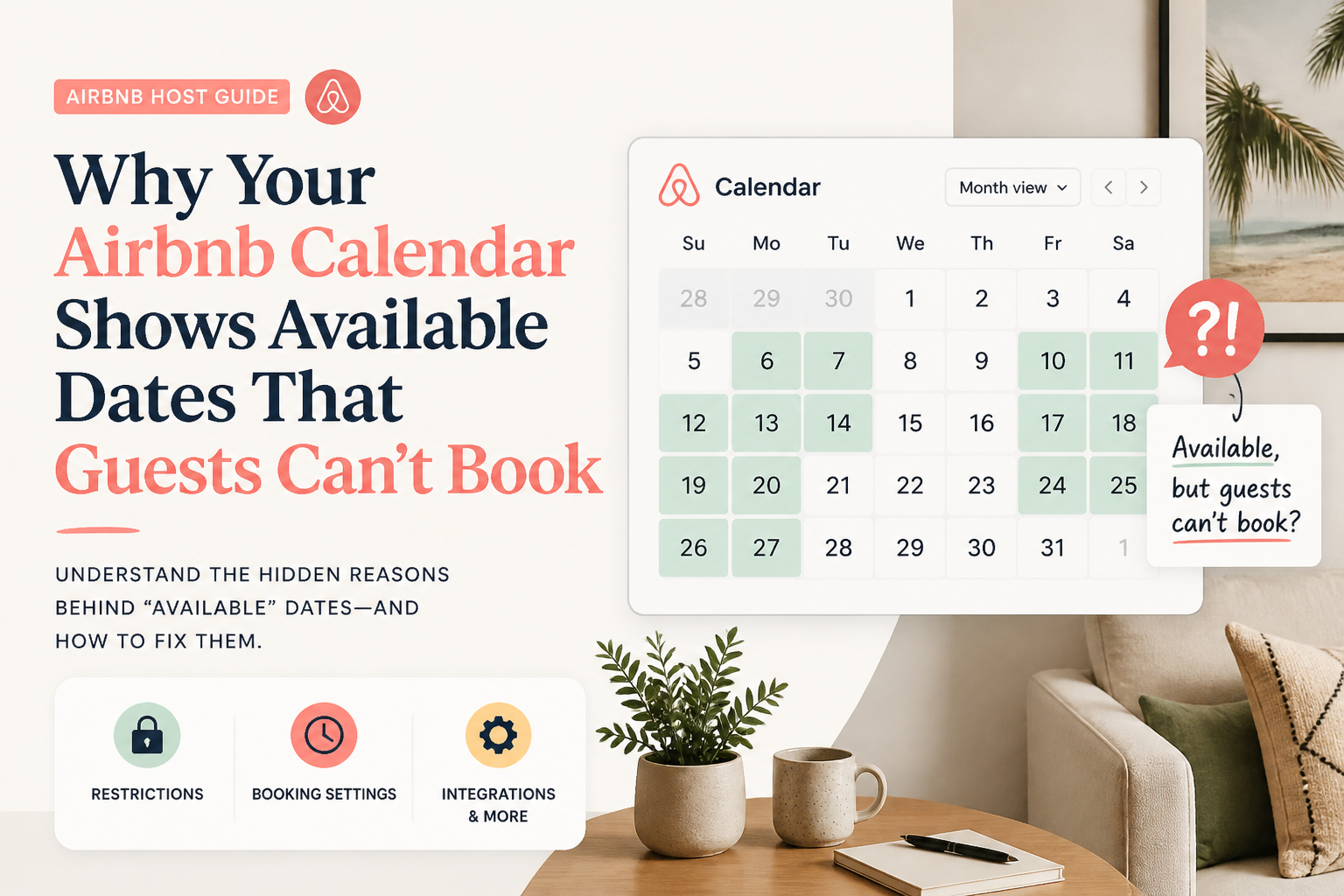 CornerstoneWhy Your Airbnb Calendar Shows Available Dates That Guests Can't Book
Your Airbnb calendar shows open dates, but guests still can't reserve them. Learn how minimum stays, check-in restrictions, preparation time, advance notice, and calendar synchronization can silently block bookings.
19 min read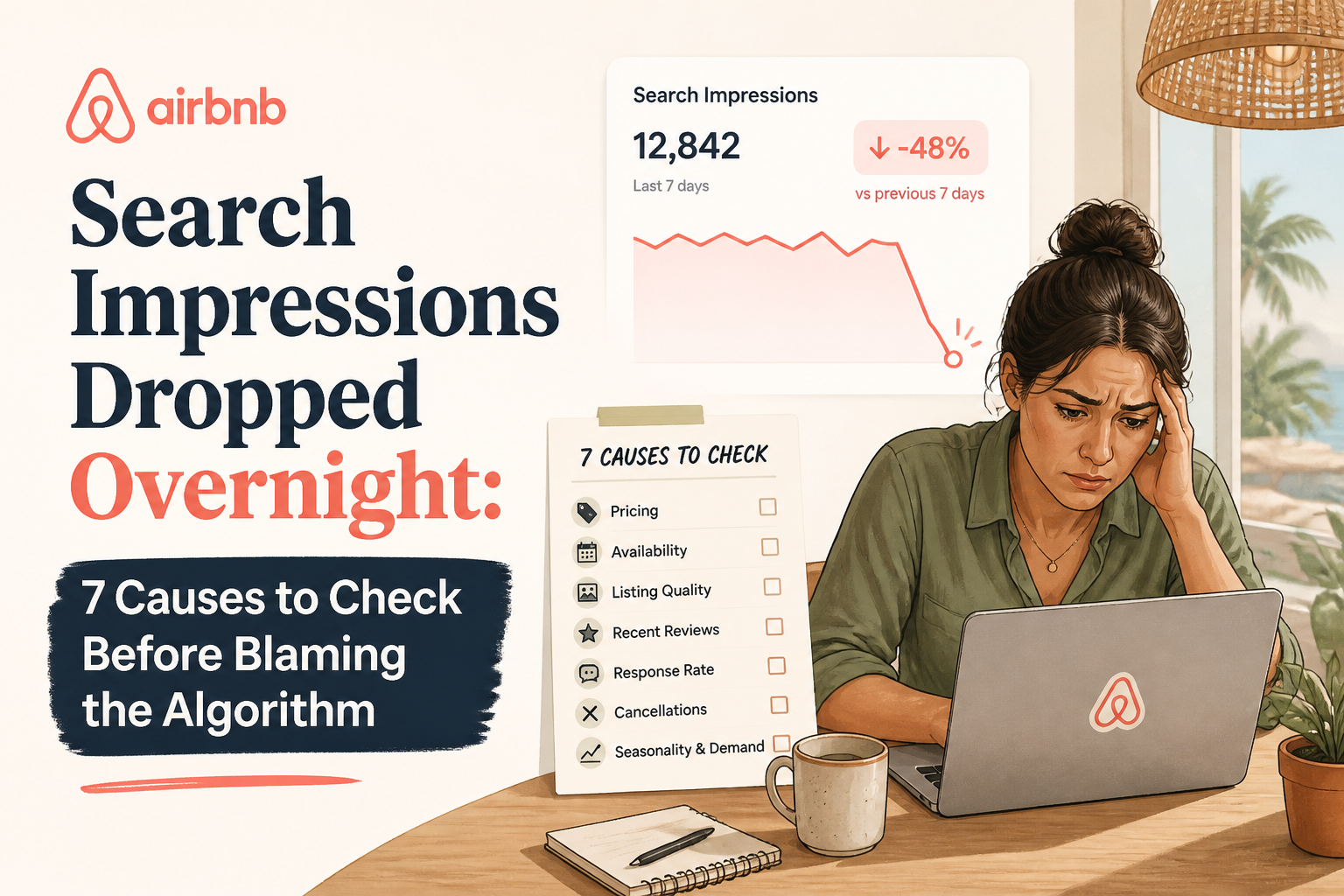 Airbnb Search Impressions Dropped Overnight: 7 Causes to Check Before Blaming the Algorithm
Did your Airbnb search impressions suddenly fall? Learn how to distinguish a real visibility problem from temporary data fluctuations, blocked dates, seasonal demand, pricing changes, and listing-quality issues before making costly changes.
21 min read