
Why Your Airbnb Calendar Shows Available Dates That Guests Can't Book
Your Airbnb calendar shows open dates, but guests still can't reserve them. Learn how minimum stays, check-in restrictions, preparation time, advance notice, and calendar synchronization can silently block bookings.
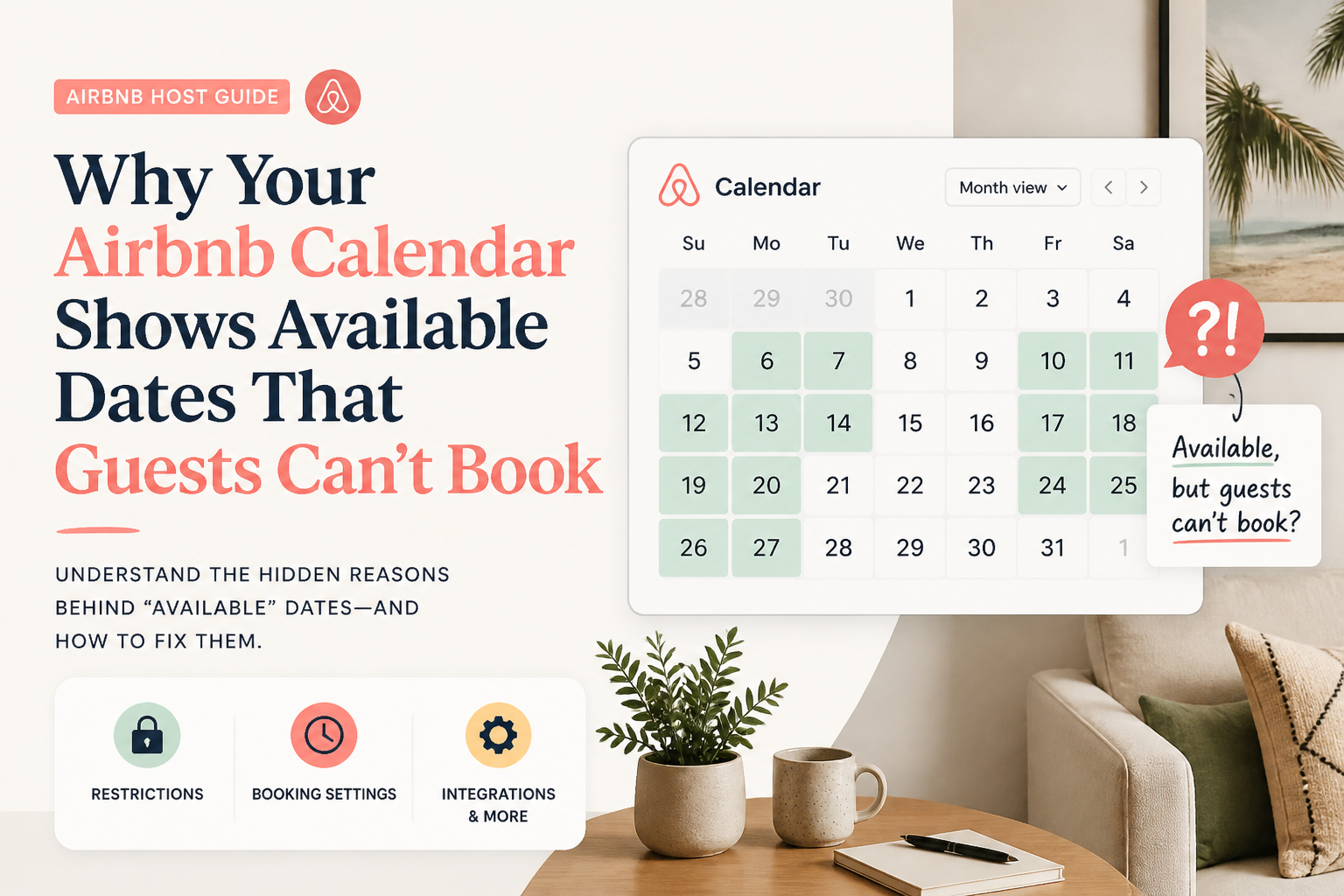
If your Airbnb calendar shows available dates but guests can't book them, the problem is often a booking restriction rather than a lack of availability.
A night can appear open on your hosting calendar while being unavailable for a particular reservation.
Your minimum-stay requirement might be longer than the remaining gap. Your check-in restrictions might exclude the guest's arrival day. Preparation time, advance notice, or synchronized calendars may also prevent a booking.
This creates a frustrating situation.
You look at your calendar and see empty nights.
You assume guests can reserve those nights.
But when someone searches for the property, the dates aren't bookable under their chosen conditions.
Before lowering your price, rewriting your Airbnb description, or worrying about your search ranking, you need to understand the difference between an open night and a bookable stay.
In The Airbnb Optimization Playbook, I explain why calendar strategy is just as important as listing presentation.
A property can have strong photographs, excellent reviews, and a well-written description while losing booking opportunities because of its calendar settings.
Here is how to find and correct the restrictions that may be getting in the way.
- Available Doesn't Always Mean Bookable
This is the first distinction every Airbnb host needs to understand.
An available night is a date that isn't occupied or intentionally blocked. A bookable stay is a combination of dates that satisfies your listing's reservation rules.
Those aren't necessarily the same thing.
Imagine you have a vacation home with a three-night minimum stay.
Your calendar looks like this:
Monday and Tuesday: Booked
Another guest is staying at the property.
Wednesday and Thursday: Available
Both nights are open on your calendar.
Friday and Saturday: Booked
Your next reservation begins.
This leaves two available nights between existing reservations.
But your minimum stay is three nights.
A guest cannot book a three-night reservation inside that two-night opening.
The dates are empty, but your current rules prevent the stay.
This is not a ranking penalty.
It is a booking-eligibility problem.
Airbnb explains that minimum and maximum trip lengths, advance notice, preparation time, and other booking settings can affect which reservations are possible.
The first step is identifying which setting prevents the guest's requested stay.
- Check Your Minimum-Night Requirement
Minimum stays are one of the most important settings in your Airbnb calendar.
They determine the shortest reservation a guest can make.
If you require three nights, someone looking for a two-night weekend generally won't qualify to book under that rule.
If you require seven nights, you may exclude guests searching for weekend getaways or shorter vacations.
A minimum stay can be completely reasonable and still be inappropriate for certain dates.
Why hosts choose longer minimum stays
In The Airbnb Hosting Decisions Playbook, I explored whether hosts prefer one-night bookings or longer reservations.
Many hosts described practical reasons for setting minimum stays.
Every reservation requires preparation.
A one-night booking can involve the same cleaning, laundry, communication, and turnover process as a longer stay.
For some properties, the revenue from one night doesn't justify that work.
Other hosts prefer longer reservations because their properties attract families or groups planning substantial vacations.
These are legitimate business considerations.
A longer minimum stay isn't automatically a mistake.
The problem arises when the rule stops matching the property's availability or current demand.
Example: A three-night minimum during a quiet weekend
Imagine your property normally requires three nights.
You have Friday and Saturday available between existing reservations.
A guest wants exactly those two nights.
Under your standard minimum, that stay cannot be booked.
You now have a decision to make.
You could keep the restriction because shorter stays aren't financially worthwhile.
Or you could create an exception for those dates.
The right choice depends on your turnover costs, pricing, and the likelihood of another reservation.
How to check your minimum stay
According to Airbnb's current instructions:
- Open your hosting Calendar.
- Select the relevant listing.
- Open Availability.
- Find Trip length.
- Review your minimum and maximum nights.
- Save any intentional changes.
Airbnb also supports custom minimum-night settings based on check-in days.
Read the official instructions: "Set Minimum and Maximum Nights" (https://www.airbnb.com/help/article/880).
- Look for Orphan Nights Between Reservations
One of the biggest problems created by rigid minimum stays is the orphan night.
An orphan night is a short opening between reservations that cannot easily accommodate your normal minimum stay.
For example:
A guest checks out on Monday.
Your next guest checks in on Wednesday.
Tuesday night is available.
But your minimum stay is two nights.
Unless you make an appropriate exception, that one-night gap cannot be booked.
Why orphan nights matter
One empty night may not seem important.
But several small gaps over the course of a year can add up.
A calendar can show high occupancy while still containing openings that your standard booking rules make difficult to fill.
In Chapter 13 of The Airbnb Optimization Playbook, I recommend looking at the shape of the calendar rather than only the number of available nights.
Ask:
- How many one-night gaps do I have?
- How many two-night gaps exist between longer reservations?
- Are weekend openings shorter than my normal minimum?
- Are check-in restrictions making particular gaps difficult to sell?
- Could a targeted exception allow a reservation without changing the rest of my calendar?
Use custom trip-length settings
Airbnb supports custom trip-length settings for particular dates.
This can help you make a short gap bookable while maintaining your normal minimum-stay policy elsewhere.
For example, your standard minimum might remain three nights, but you could allow a two-night reservation for a particular gap.
Airbnb may also display availability suggestions when an existing rule is preventing nights from being booked.
The key is using exceptions deliberately.
You don't have to abandon your usual minimum stay to solve one awkward opening.
When you shouldn't fill an orphan night
Not every available night deserves to be sold.
Suppose a one-night reservation would require substantial cleaning expenses and a same-day turnover your team cannot safely manage.
The additional revenue may not justify the costs or operational pressure.
An empty date isn't automatically a lost profit opportunity.
Evaluate whether the booking is worthwhile before opening it.
For a detailed explanation, see my guide: "What Are Orphan Nights on Airbnb?" (https://www.superhostseo.com/blog/airbnb-orphan-nights).
- Check Your Check-In and Checkout Day Restrictions
Another overlooked reason dates may be difficult to book is a restriction on arrival or departure days.
Airbnb allows hosts to control when guests can check in or check out.
These rules can be particularly useful for vacation rentals that operate on fixed weekly schedules.
For example, a beachfront property might prefer Saturday arrivals during peak summer demand.
That may be appropriate when most guests book full-week vacations.
But it can create problems when only shorter openings remain.
Example: The dates are open, but the arrival day is restricted
Imagine Thursday, Friday, and Saturday nights are available.
A guest wants to arrive Thursday and leave Sunday.
But your listing only allows check-in on Friday or Saturday.
Even though all three nights appear available, the guest's requested arrival does not match your settings.
The stay may not be bookable.
Review the restrictions before removing them
Ask yourself:
- Are these restrictions still needed?
- Do they match the way guests book in the current season?
- Could they be preventing reservations for otherwise open dates?
- Does my cleaning team require certain turnover days?
- Am I using a rule designed for peak season during a slower period?
A restriction should have a business purpose.
If that purpose no longer applies, it may be worth updating.
Hosts using Airbnb's professional hosting tools may also need to review any rule-sets that apply to the affected dates.
Those rule-sets can include check-in and checkout restrictions along with trip-length requirements.
- Review Your Advance-Notice Settings
Advance notice determines how soon guests can book before arriving.
Imagine your property requires at least two days' notice.
Someone searches this morning for a stay beginning tomorrow.
The calendar may have open nights.
But the reservation doesn't satisfy your advance-notice requirement.
This can make the listing unavailable for that search.
Why hosts use advance notice
There are good operational reasons for requiring booking notice.
Perhaps your cleaning team needs time to prepare.
Maybe you personally manage guest arrivals.
Perhaps the property is located far from where you live.
Or maybe same-day bookings don't fit your hosting model.
Those are legitimate reasons to set restrictions.
But they should reflect your actual capabilities.
What I recommend
Review whether your advance-notice setting is still appropriate.
If you can safely prepare the property with one day's notice, a longer restriction may be unnecessarily excluding some guests.
If you cannot reliably support short-notice reservations, don't remove the restriction simply to increase availability.
The goal is not maximum openness.
It's appropriate availability that your hosting operation can deliver.
Airbnb documents these options in its guide to "customizing booking settings" (https://www.airbnb.com/help/article/484).
- Check Preparation Time Between Reservations
Preparation time is another setting that can make dates unavailable.
Airbnb allows hosts to block time between reservations for cleaning and preparation.
For example, you might require a full day between stays.
That gives your team additional time to clean, inspect, and prepare the property.
But it also reduces the number of dates available for new reservations.
Example: A booking that creates an unexpected blocked night
Suppose one guest checks out Monday.
Your preparation-time settings require a day between reservations.
That may prevent a new guest from checking in immediately afterward.
If the calendar already contains short openings, preparation time can make them even harder to book.
Don't remove necessary cleaning time
A shorter preparation buffer may increase bookable availability.
But that only helps if your team can maintain the property's standards.
In The Airbnb Optimization Playbook, I emphasize that listing optimization and hosting operations must work together.
A reservation isn't a success if the property isn't ready when the guest arrives.
Before reducing preparation time, confirm:
- How long your cleaning team actually needs
- Whether same-day turnovers are realistic
- Whether laundry can be completed reliably
- Whether maintenance inspections require additional time
- Whether unexpected delays can be handled safely
If your operations support shorter turnovers, you may have room for more flexibility.
If they don't, protect the time your team requires.
You can review Airbnb's instructions here: "Preparation Time Between Reservations" (https://www.airbnb.com/help/article/2923).
- Check Your Booking Window and Calendar Synchronization
Two other calendar settings can create availability problems.
The first is your booking window.
The second is synchronization with other calendars.
Your booking window
The booking window determines how far into the future guests can reserve your property.
For example, you might allow bookings only six months in advance.
A guest planning a trip nine months from now may not be able to reserve your property.
That doesn't mean the property is performing poorly in search.
The dates fall outside the booking window you've chosen.
In The Airbnb Optimization Playbook, I recommend matching your booking window to your market and the amount of advance demand your property receives.
Properties attracting families planning major vacations may benefit from longer booking windows.
Other hosts may prefer shorter windows because they need flexibility over future use or pricing.
The appropriate setting depends on your business.
Synchronized calendars
If your property is advertised on more than one platform, calendar synchronization deserves attention.
A date blocked on another connected calendar may appear unavailable on Airbnb.
This can happen when you synchronize reservations through an iCal feed or a property management system.
If dates appear unexpectedly blocked, check:
- Your Airbnb calendar
- Other connected booking calendars
- Imported calendar feeds
- Linked listing calendars
- Reservation changes or cancellations
- Any recent synchronization problems
Airbnb allows hosts to inspect reasons why nights are blocked.
See "Why Your Calendar Nights May Be Blocked" (https://www.airbnb.com/help/article/3612).
The important distinction
A synchronization problem and a minimum-stay problem are not the same.
A synchronized calendar may block a date outright.
A minimum-stay rule may leave a date open while making certain reservation lengths impossible.
Understanding which situation applies determines what you need to change.
- Check Whether a Custom Rule-Set Is Overriding Your Normal Settings
If you use Airbnb's professional hosting tools, another possibility is a custom rule-set.
Rule-sets allow hosts to apply specific pricing and availability rules to selected dates.
They may include:
- Minimum and maximum trip lengths
- Check-in and checkout restrictions
- Nightly pricing adjustments
- Length-of-stay discounts
- Last-minute discounts
- Early-booking discounts
These settings can be very useful for managing seasonal demand.
But they can also create confusion when a host forgets that a rule-set applies to a particular date range.
Example: An old peak-season rule
Imagine you created a seven-night minimum for the summer holidays.
That rule made sense during your busiest period.
Later, only a four-night gap remains.
You look at your normal minimum-stay settings and see two nights.
But the selected dates may still be subject to a different rule-set.
Your standard setting and the rule applied to those dates aren't necessarily the same.
What to check
Open the affected dates in your calendar.
Look for any custom rule-set applied to them.
Verify the minimum-night requirement, arrival restrictions, and other relevant settings.
If the rule no longer serves its intended purpose, update or remove it deliberately.
Airbnb explains how these settings work in "How Rule-Sets Work" (https://www.airbnb.com/help/article/2061).
Rule-sets are powerful.
But the more rules you create, the more important it becomes to understand which ones are currently active.
- Should You Lower Your Minimum Stay to One Night?
This question comes up frequently in my Airbnb hosting community.
In The Airbnb Hosting Decisions Playbook, I explored how hosts approach one-night bookings.
The responses were divided.
Some hosts avoid one-night stays because the cleaning, laundry, and turnover effort makes them less profitable.
Others accept shorter stays because their market has strong demand from business travelers, concertgoers, or guests passing through.
Some use different minimum stays depending on the day of the week or season.
And others make one-night bookings available only when they have a short gap that would otherwise remain empty.
The most useful lesson is that minimum stays should be intentional.
Calculate the contribution of a short booking
Consider a hypothetical one-night reservation.
Nightly revenue: $180
Cleaning and laundry cost: $70
Additional variable expenses: $25
Contribution: $85 before fixed expenses, taxes, and other relevant costs.
A two-night stay at the same nightly rate might produce:
Revenue: $360
Cleaning and laundry: $70
Additional variable expenses: $40
Contribution: $250 before fixed expenses and taxes.
These numbers are examples, not market benchmarks.
They illustrate why a two-night booking may have a very different financial outcome from a one-night booking.
But there is another side to the calculation.
If the one available night cannot be sold as part of a longer stay, accepting an economically worthwhile short booking may generate additional revenue that would otherwise be lost.
The correct decision depends on your real costs and whether the booking can be accommodated safely.
My recommendation
Don't use one permanent minimum stay simply because you selected it when you first created the listing.
Consider:
- Your property's normal booking length
- Current season and demand
- Cleaning costs
- Guest turnover requirements
- Upcoming reservations
- Short calendar gaps
- Local regulations
- Your minimum acceptable contribution
Use shorter stays where they make business sense.
Keep longer minimums where they protect your operation and revenue strategy.
For a deeper discussion, see "How to Use Minimum Night Settings to Maximize Airbnb Revenue" (https://www.superhostseo.com/blog/airbnb-minimum-stay-strategy).
- A Step-by-Step Test to Find What's Blocking a Booking
If someone tells you they cannot reserve dates that appear available, you can investigate systematically.
Step One: Identify the exact requested stay
Record:
- Check-in date
- Checkout date
- Number of guests
- Property
- Any special booking requirements
Don't troubleshoot using a different set of dates.
Step Two: Confirm the listing is published
Make sure the property is active and not restricted by a listing-status issue.
Step Three: Check every requested night
Open the calendar and inspect the relevant dates.
Confirm whether any are blocked.
If a night is blocked, review Airbnb's explanation.
Step Four: Compare the stay length with your rules
Does the reservation meet the minimum and maximum trip lengths?
Are custom minimum-night rules applied to the proposed arrival day?
Step Five: Check arrival and departure restrictions
Does the requested check-in day qualify?
Does the checkout day qualify?
Step Six: Review notice and preparation time
Is the requested arrival too soon?
Does it conflict with preparation time after another reservation?
Step Seven: Check your calendar connections and custom rules
Look for synchronized blocks, seasonal rules, and date-specific restrictions.
Step Eight: Test with another eligible date range
Try dates you know are available and that meet your booking requirements.
If the property can be booked under those conditions but not the original dates, you've narrowed the problem.
Step Nine: Contact Airbnb if necessary
If the listing is active, the dates should be bookable, and you cannot identify a restriction, contact Airbnb Support.
Provide the listing URL, requested dates, guest count, and the checks you've already completed.
Avoid changing unrelated settings simply because the problem isn't immediately obvious.
- Use SuperhostSEO to Spot Calendar Problems
Some calendar problems are obvious.
An accidentally blocked date is easy to recognize once you open the calendar.
Others are more difficult.
You may have a one-night opening next week, a two-night weekend gap next month, and a short stretch later that doesn't fit your minimum-stay requirements.
Looking at individual dates makes these patterns easy to miss.
This is why I built the Calendar Gap Analyzer as part of the SuperhostSEO toolkit.
What the Calendar Gap Analyzer does
The tool uses an Airbnb iCal export to examine calendar availability patterns.
It helps identify:
- Orphan nights between reservations
- Weekend gaps
- Short openings that deserve review
- Calendar patterns that may limit booking opportunities
Rather than forcing you to inspect every date manually, it highlights openings where a targeted calendar adjustment may make sense.
What it cannot do
An iCal calendar does not reveal every private booking restriction in your Airbnb account.
The analyzer cannot independently verify that every guest can book a particular date.
It cannot determine whether all synchronized blocks are paid reservations.
And it cannot guarantee that changing a minimum stay will produce a booking.
It is designed to help you identify possible opportunities, not make final business decisions for you.
The host still needs to check the relevant Airbnb settings and decide whether opening a gap makes operational and financial sense.
You can explore the "SuperhostSEO optimization workspace" (https://www.superhostseo.com/tools) to learn more about the platform's tools.
What about the free Airbnb Listing Audit?
The free Listing Audit solves a different problem.
It evaluates the public listing's structure, descriptions, title, and other completeness-related information.
It does not have full access to your private Airbnb calendar settings.
If the issue is a minimum-stay restriction, fix that in Airbnb.
But if the calendar is working correctly and the listing still struggles with views or bookings, reviewing the listing itself may be the next useful step.
"Run your free Airbnb Listing Audit" (https://www.superhostseo.com/audit/) to identify structural weaknesses and get prioritized recommendations.
The key is using the right tool for the right problem.
- Your Monthly Airbnb Calendar Audit Checklist
In The Airbnb Optimization Playbook, I recommend reviewing calendar settings regularly rather than leaving them untouched for months.
Here is a practical monthly routine.
Availability
- Check for accidentally blocked dates.
- Review upcoming calendar openings.
- Confirm the booking window still matches your business needs.
- Verify synchronized calendars.
Minimum stays
- Review your standard minimum-night requirement.
- Check date-specific and check-in-day exceptions.
- Look for orphan nights.
- Compare the rules with current seasonal demand.
Booking restrictions
- Verify check-in and checkout day limitations.
- Review advance notice.
- Confirm preparation-time requirements.
- Inspect any active custom rule-sets.
Revenue and operations
- Calculate whether shorter stays are financially worthwhile.
- Review cleaning and turnover costs.
- Identify dates where greater flexibility may help.
- Protect high-demand periods from unnecessary restrictions or discounts.
Final check
- Test representative booking dates.
- Confirm the property remains bookable for your intended guest types.
- Record meaningful changes.
- Monitor booking pace and performance rather than reacting to one quiet day.
The purpose of this review is to catch restrictions that no longer serve your business.
You don't need to change something every month.
Sometimes the most useful result is confirming that your current settings are correct.
Frequently Asked Questions
Why does my Airbnb calendar show available dates that guests can't book?
Available dates may not satisfy your minimum-stay requirements, check-in restrictions, advance notice, preparation time, or other booking settings. Inspect the exact requested stay and your active calendar rules to identify the cause.
Can minimum-night rules stop guests from booking available dates?
Yes. If your minimum stay is longer than the guest's requested trip or the remaining gap between reservations, those nights may not be bookable together under the current rule.
What is an orphan night on Airbnb?
An orphan night is a short opening between reservations that cannot easily accommodate the property's normal minimum stay. Hosts may choose to create targeted exceptions when doing so is operationally and financially worthwhile.
How do I change my Airbnb minimum-night requirement?
Open your Airbnb hosting Calendar, select the listing, and go to Availability and Trip length. From there, you can update the minimum and maximum nights and review available customization options.
Can Airbnb preparation time block reservations?
Yes. Preparation-time settings can automatically block time between reservations. Review those settings if the requested dates conflict with an existing booking or its required turnover buffer.
Why can guests book one weekend but not another?
Different dates may have different availability, seasonal rules, minimum-night requirements, or check-in restrictions. Check the specific settings applied to each weekend.
Can Airbnb calendar synchronization create blocked dates?
Yes. Connected calendars may synchronize unavailable dates from other platforms or linked listings. If a date is unexpectedly blocked, inspect the reason and review your connected calendar sources.
Should I allow one-night Airbnb bookings?
It depends on your costs, market, property type, and operations. One-night stays can help fill certain gaps but may create higher per-night turnover costs. Evaluate the actual financial contribution rather than treating every short booking as automatically good or bad.
Does changing my Airbnb minimum stay improve search ranking?
A more flexible minimum stay may make your property eligible for additional guest searches. That is not the same as guaranteeing a higher ranking among eligible listings. Airbnb considers multiple other factors.
Can SuperhostSEO automatically fix my Airbnb calendar?
No. SuperhostSEO's tools help identify calendar opportunities and listing weaknesses. Hosts still review and make the relevant changes inside Airbnb themselves.
Final Thoughts: Your Calendar Needs to Match the Bookings You Want
A calendar full of open nights doesn't necessarily mean guests can book them.
Minimum stays, preparation time, check-in restrictions, booking windows, and synchronized calendars all influence which reservations are possible.
The challenge is that these rules often operate quietly.
You may not notice the problem until bookings slow down or a guest contacts you about dates they cannot reserve.
That's why I believe calendar optimization should be part of regular hosting maintenance.
Not every empty night needs a discount.
Not every minimum stay needs to be reduced.
And not every calendar gap is financially worth filling.
The right approach is to understand your settings, identify unnecessary restrictions, and make deliberate changes that fit your property's real demand and operating costs.
Before trying to improve your search ranking, make sure guests can actually book the stays you're trying to attract.
And once your booking settings are correct, make sure the listing itself gives guests a reason to choose your property.
"Run your free Airbnb Listing Audit with SuperhostSEO" (https://www.superhostseo.com/audit/) to identify weaknesses in your property's presentation and receive prioritized recommendations for improvement.
Written by Elie Parienti, founder of SuperhostSEO and author of The Airbnb Optimization Playbook, The Airbnb Tools Playbook, and The Airbnb Hosting Decisions Playbook. This article draws on the calendar strategy in Chapters 12 and 13 of The Airbnb Optimization Playbook, Chapter 6 of The Airbnb Tools Playbook, and the host-community discussion in Chapter 6, "One Night or More," of The Airbnb Hosting Decisions Playbook.
Further Reading
- "Airbnb: Set Minimum and Maximum Nights" (https://www.airbnb.com/help/article/880)
- "Airbnb: Updating Your Availability" (https://www.airbnb.com/resources/hosting-homes/a/updating-your-availability-708)
- "Airbnb: Why Your Calendar Nights May Be Blocked" (https://www.airbnb.com/help/article/3612)
- "Airbnb: How Rule-Sets Work" (https://www.airbnb.com/help/article/2061)
- "How to Use Airbnb Minimum Night Settings to Maximize Revenue" (https://www.superhostseo.com/blog/airbnb-minimum-stay-strategy)
- "What Are Orphan Nights on Airbnb?" (https://www.superhostseo.com/blog/airbnb-orphan-nights)
- "Why Your Airbnb Minimum Stay Might Be Creating Empty Nights" (https://www.superhostseo.com/blog/airbnb-minimum-stay-empty-nights)
- "Free Airbnb Listing Audit — SuperhostSEO" (https://www.superhostseo.com/audit/)
Airbnb optimization specialist, Superhost, and founder of one of the largest Airbnb host communities.
Continue Reading
Chosen for you from The Optimization Journal.
 CornerstoneWhy Is My Airbnb Listing Not Showing Up in Search? 9 Things to Check
Can't find your Airbnb listing in search results? It may not be an algorithm problem. Learn how to check listing status, blocked dates, minimum stays, booking restrictions, amenities, and visibility before making unnecessary changes.
18 min read CornerstoneAirbnb Search Ranking Dropped Suddenly? How to Find Out What Changed
Did your Airbnb listing suddenly lose views or search visibility? Learn how to diagnose ranking changes, check availability and pricing, compare market conditions, and identify what to fix before rewriting your listing.
19 min read CornerstoneWhy Is My Airbnb Listing Not Getting Bookings in 2026? How to Find the Real Problem
When Airbnb bookings slow down, lowering your price is not always the solution. Learn how to identify whether your listing has a visibility problem, a conversion problem, or a market-demand problem—and what to fix first.
12 min read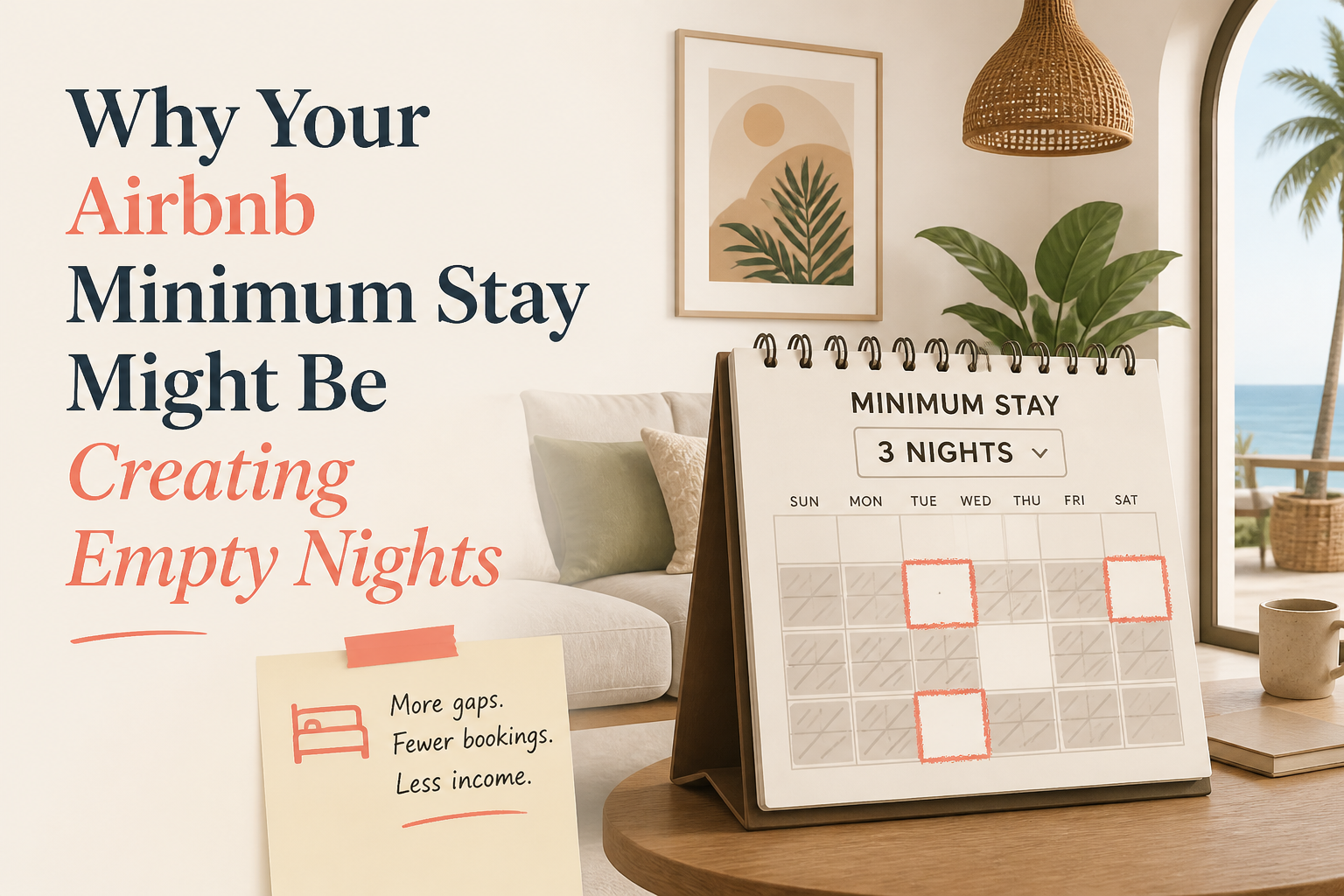 Why Your Airbnb Minimum Stay Might Be Creating Empty Nights
Minimum-stay rules can protect your calendar, reduce turnovers, and help you avoid low-value reservations. But the same rule can also create gaps that become nearly impossible to book. The trick is knowing when to hold your minimum and when the calendar is telling you to adjust it.
5 min read CornerstoneAirbnb Amenities Checklist: Missing Settings That Can Cost You Search Visibility
Your Airbnb may have amenities guests are searching for, but are they selected in your listing settings? Use this room-by-room checklist to find missing amenities, avoid filtered-search visibility problems, and improve your listing's accuracy.
19 min read